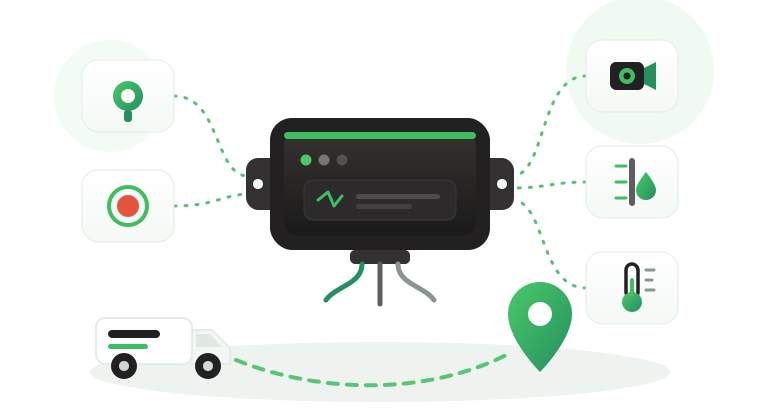

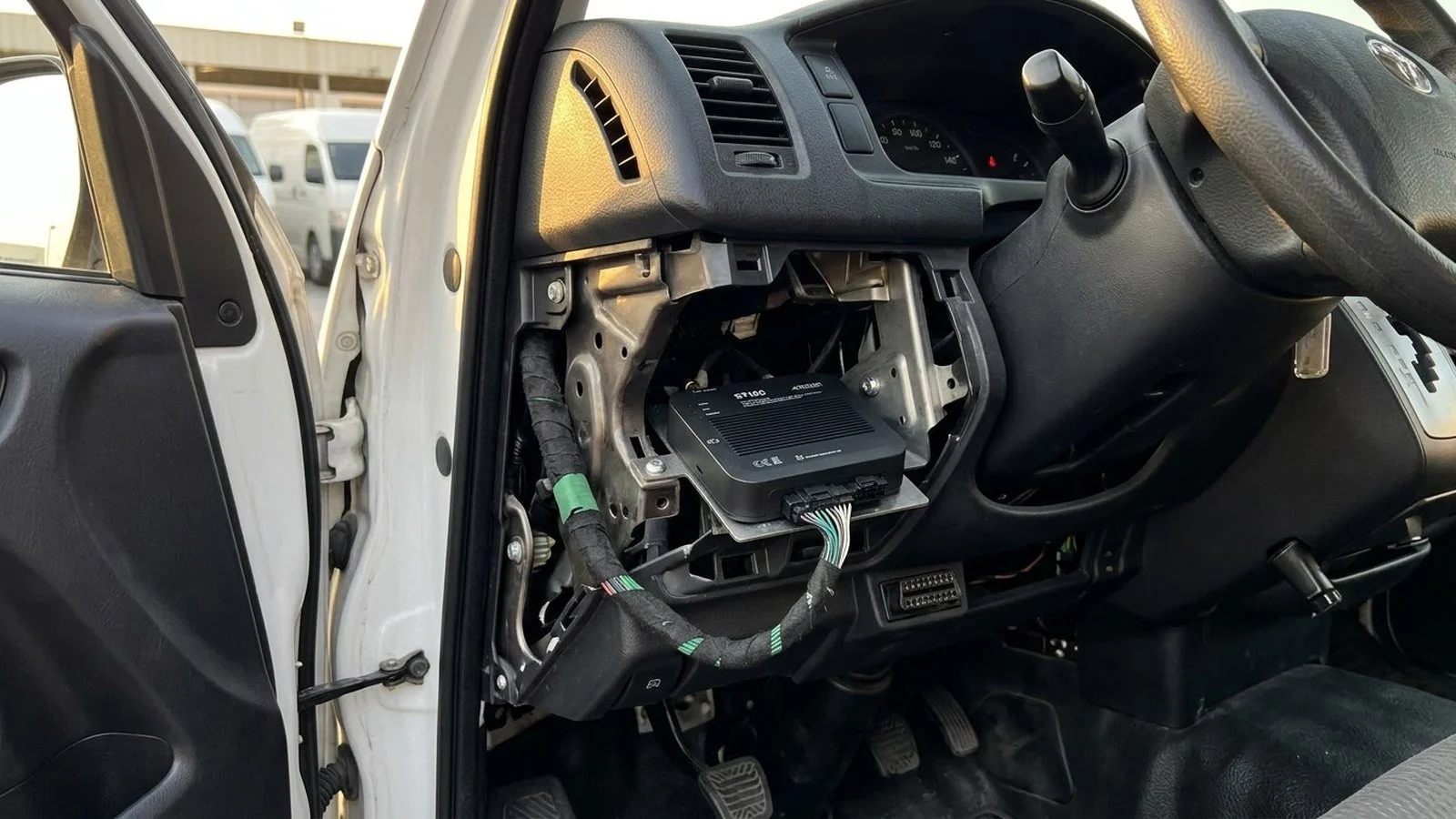
The hardwired vs OBD GPS tracker question usually surfaces after a pilot goes wrong. Plug-in units arrive in a box and report within minutes, then a month later several vans stop reporting every time they reach the same depot. A portable unit hidden in a pickup works well until its battery runs flat on a long project. The problem is rarely the tracker brand on the label. It is an install type that does not match how the vehicle is used, who drives it, and what data the fleet actually needs.
This article explains how the three install types work, where each one fits, and where each one causes trouble. It covers tamper risk, data depth, power, install effort, a step-by-step method for choosing per vehicle group, common mistakes, and where the Tracom ST100 fits as a professionally installed unit for commercial fleets.
What separates hardwired, OBD and portable trackers
The three types differ in how the device gets power and connects to the vehicle. That connection decides how easily the unit can be removed, which signals it can read, and how much work installation takes. The wider catalog of device categories, including asset tags and specialist units, is covered in the guide to types of GPS fleet tracking devices.
Hardwired trackers
A hardwired tracker is connected by an installer to the vehicle’s constant power, ground, and ignition circuits, then mounted out of sight behind a panel or under the dash. Because it is wired into the vehicle, it can also take signals from sensors and switches, and it can be connected into an immobilization circuit.
- Best for: commercial fleets, trucks, tankers, buses, and any vehicle where the data feeds safety, security, or tender reporting.
- Useful when: the fleet needs driver identification, sensors, immobilization, or a unit that drivers cannot unplug in seconds.
- Watch out: installation needs a trained installer, a wiring standard, and a little vehicle downtime per unit.
OBD plug-in trackers
An OBD plug-in tracker sits directly in the vehicle’s diagnostic port, usually under the steering column. It takes power from the port and can read some vehicle data through it, so it can be fitted quickly without tools.
- Best for: small light-vehicle fleets, short trials, and vehicles that change hands often.
- Useful when: installation budget and downtime matter more than tamper resistance or extra inputs.
- Watch out: the port is easy to find and the unit is easy to unplug, and some vehicles, especially heavy trucks, do not offer a standard light-vehicle port in a convenient spot.
Portable battery trackers
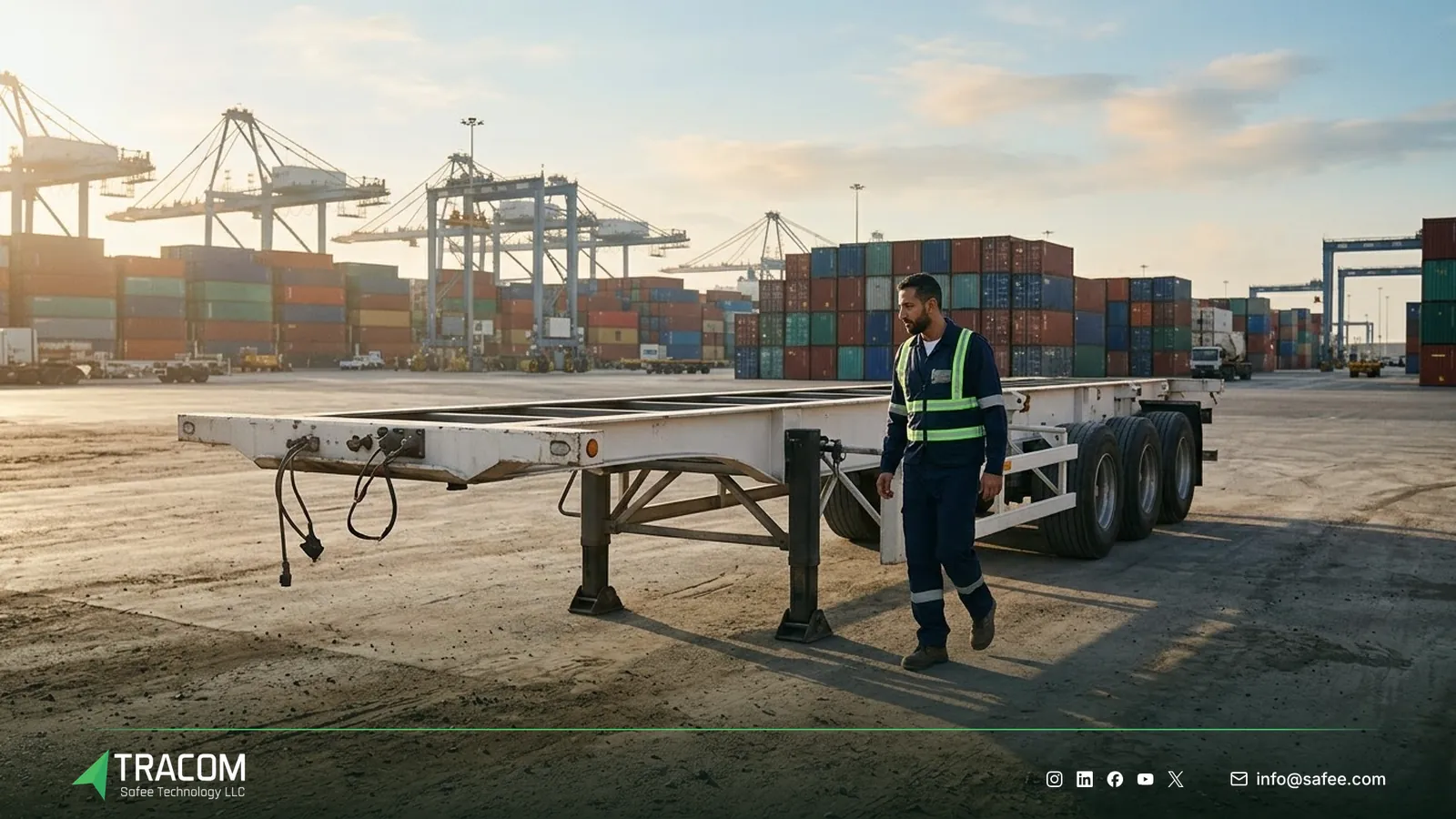
A portable tracker runs on its own battery, sometimes with solar charging, and is placed or magnetically attached anywhere on the asset. Since every transmission drains the battery, these units usually report a few times a day instead of continuously.
- Best for: unpowered assets such as trailers, containers, and stored equipment.
- Useful when: there is no vehicle power to connect to, or the asset only needs periodic location.
- Watch out: infrequent reports, battery replacement or charging routines, and no access to vehicle signals such as ignition or speed.
What the install type does not decide
A hardwired unit with poor wiring, no driver identification, and no agreed events produces the same confusion as a cheap plug-in. Tracom supplies the GPS device, in-vehicle rule logic, event data, and configuration. The fleet or its connected business software assigns the operational meaning and response.
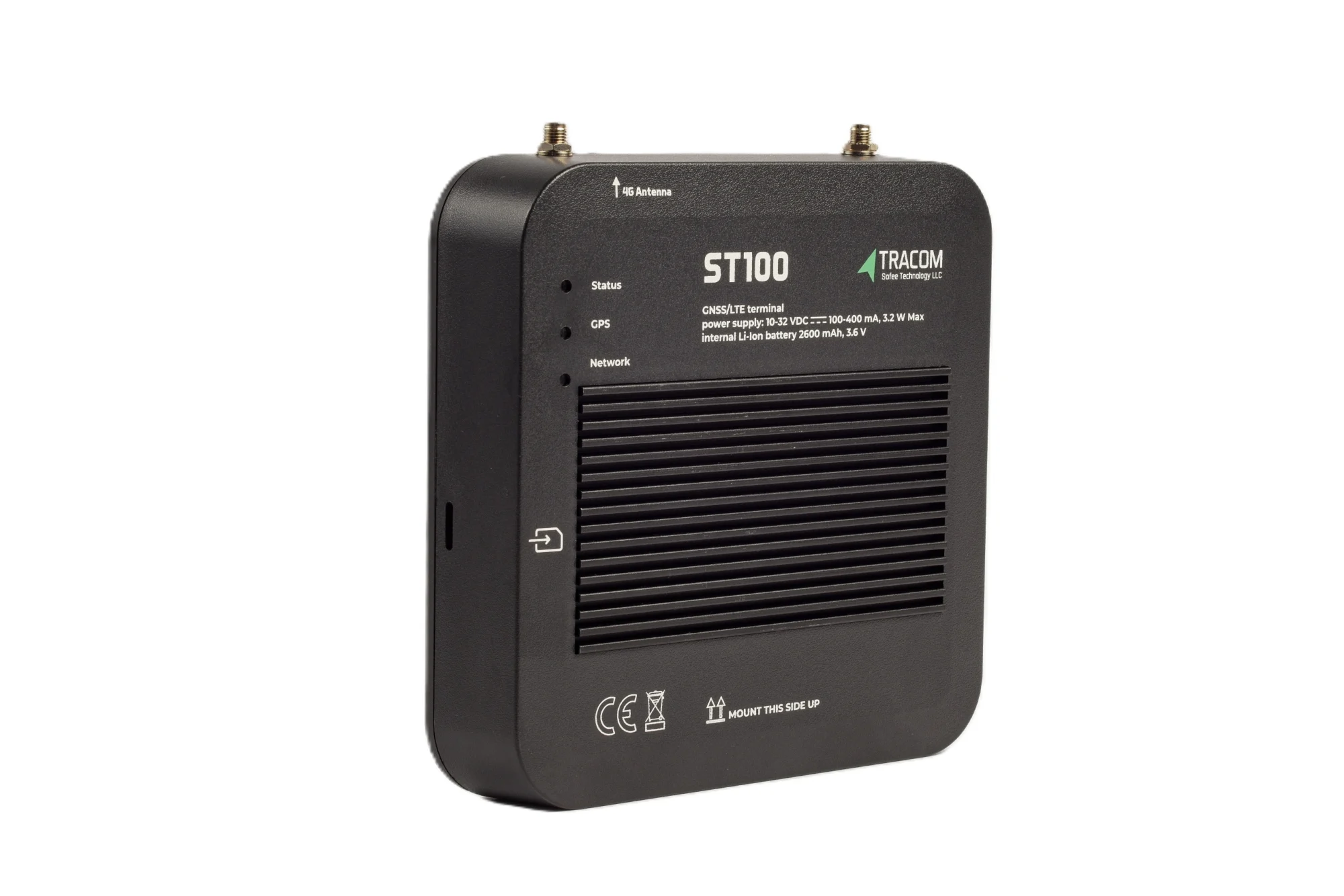
The tracking device behind every record
- GPS, GLONASS, SBAS, QZSS and AGPS positioning
- Location accuracy within a 2-meter radius
- 2G/3G/4G SIM support
- 12 digital, 4 analog and 5 AD inputs, 2 digital outputs
- 5 RS232 ports, USB, UART, 1-Wire and OBD II CAN
Hardwired vs OBD vs portable compared
The table below compares the three types on the factors that decide most fleet purchases. The rows describe market categories in general, not any single product.
| Factor | Hardwired | OBD plug-in | Portable battery |
|---|---|---|---|
| Power source | Vehicle power, wired | Diagnostic port | Internal battery |
| Removal effort | Hidden, takes tools and time | Visible, unplugs in seconds | Hidden, but easy to lift off |
| Vehicle signals | Inputs, outputs, vehicle network | Some port data, varies by vehicle | None |
| Reporting | Continuous while powered | Continuous while plugged in | Periodic to save battery |
| Install effort | Trained installer, per vehicle plan | Driver or staff can fit it | Place and activate |
| Typical fit | Commercial and heavy vehicles | Small light-vehicle fleets | Unpowered assets |
Read also: Telematics Hardware: Specs Fleet Buyers Should Verify
Tamper risk and driver acceptance
Tamper risk is where the install types differ most in daily operations. An OBD unit sits in a known port, and a driver who wants an unrecorded break can pull it out and refit it later while the vehicle simply looks parked. That gap is hard to prove and easy to argue about.
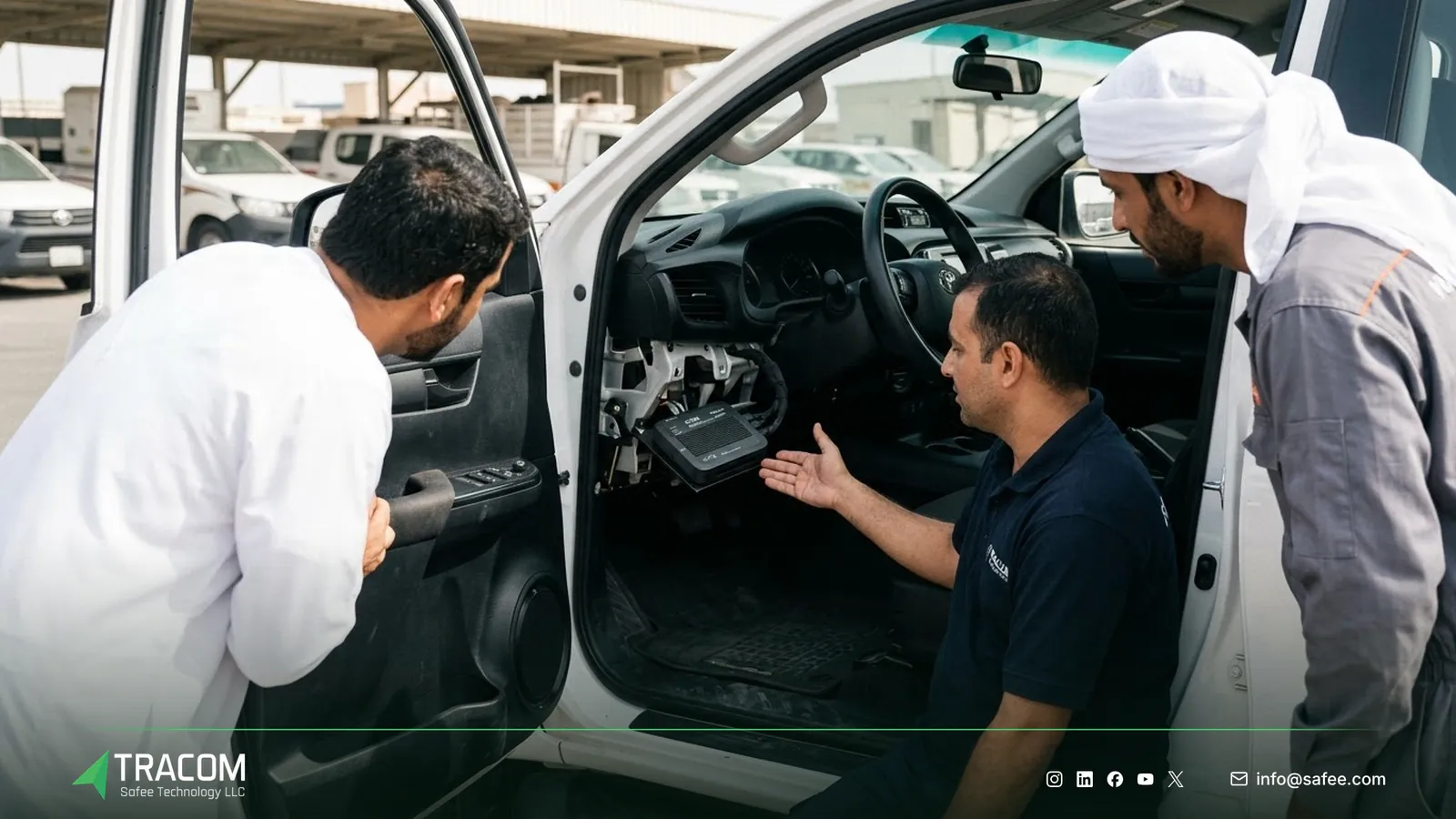
A hidden hardwired unit makes removal a deliberate act that takes tools and time. The Tracom ST100 adds a tamper alert, so the fleet is notified when someone attempts to remove or interfere with the device. That alert is far more meaningful on a hidden, properly installed unit, because interference then signals intent rather than a loose plug.
Driver acceptance matters with any install type. Before the first unit goes in, explain to drivers what is recorded, which events are reviewed, and how they can question an event.
Data depth: power, ignition, CAN and sensors
The second big difference is what the device knows beyond position. A plug-in unit reads what the diagnostic port exposes, a portable unit knows only where it is, and a wired unit combines position with vehicle and sensor signals.

What OBD-II CAN data depends on
Whether the device is a plug-in or an installed unit, what it can read through OBD-II or CAN depends on the vehicle’s make, model, and year. That data is confirmed per vehicle before a fleet relies on it. The ST100 has an OBD-II CAN interface, and the data available on each model in your fleet is confirmed with the Tracom team. The CAN bus GPS tracker guide explains vehicle network data in more depth.
Inputs that a plug-in cannot offer
Many fleet use cases need signals that never pass through the diagnostic port. A tanker needs a fuel level sensor, a reefer truck needs temperature readings, a shared vehicle needs a driver key reader, and a security van needs a panic button. Ignition, PTO, door, and other signals can be wired to a digital input, agreed with the Tracom team.
The ST100 takes these signals on its digital, analog, and AD inputs, RS232 ports, and 1-wire interface, listed in full below. Tracom supplies a driver key reader, a panic button, fuel level sensors, and temperature sensors, and the type and fit for each vehicle are confirmed with the Tracom team. Power, ground, and ignition wiring is explained in the guide to GPS tracker wiring.
Matching the install type to each vehicle group
Most fleets do not need one answer for every asset. A mixed fleet often runs installed units on working vehicles and battery units on unpowered assets.

Heavy trucks, tankers, and buses usually justify a hardwired unit, because they carry the highest risk and often need sensors, driver identification, and speed rules. Vans and pickups used by named drivers suit installed units too, especially when the fleet wants driver access keys or immobilization. Pool cars on short office trips are where plug-in convenience is sometimes considered, though many fleets keep one device type to simplify support and reporting.
For smaller teams, the guide to fleet tracking for small businesses explains what to configure first, and the guide to a car tracking device for business applies these install choices to company, pool, and sales cars. Procurement teams comparing offers can use the fleet tracking features checklist to turn these install choices into clear tender questions.
Read also: GPS Fleet Tracking Device: How It Works
Steps to choose an install type for each vehicle group
A short process keeps the choice tied to operations, not unit price.
- List every vehicle and asset with its class, power availability, typical driver pattern, and the main risk it carries.
- Define the data each group needs: position only, driving events, driver identification, sensors, or immobilization.
- Mark the groups where tamper resistance matters, such as high-value cargo, shared vehicles, and remote routes.
- Assign an install type per group: hardwired for vehicles that need inputs, outputs, or tamper resistance, and battery units only for unpowered assets.
- Confirm vehicle network data and accessory fit for each model with the device supplier before ordering.
- Write an installation standard covering power, ground, ignition, mounting, and concealment, and plan a pilot on representative vehicles.
- Review the pilot data with supervisors and drivers, then roll out by vehicle group with one documented configuration per group.
Share your vehicle list, risk profile, and the signals each group needs, and request a device recommendation for each vehicle class. The full rollout process is covered in the guide to fleet GPS tracker installation.
Common mistakes when choosing an install type
Most problems with install type come from decisions made before the first unit is fitted.
- Fleets choose plug-in units for their whole fleet to save installation time, then discover that the vehicles with the highest risk are the easiest to disconnect.
- Buyers assume every vehicle exposes the same OBD or CAN data, and later find that fuel or odometer data is missing on some models.
- Teams order hardwired units without an installation standard, so every branch wires power and ignition differently and the events stop being comparable.
- Projects add sensors or driver key readers after installation, which means a second visit to every vehicle instead of one planned job.
- Nobody tells drivers what the device does, so the first tamper alert turns into a dispute instead of a conversation.
Where the Tracom ST100 fits
At Tracom, we supply the Tracom ST100 as an in-vehicle intelligence system for the installed category. It is a wired, professionally installed unit, not an OBD plug-in or a battery tracker, and it applies fleet rules on the device itself. The capabilities that matter for this choice are:
- A tamper alert when someone attempts to remove or interfere with the device.
- An OBD-II CAN interface, with available vehicle data confirmed per make, model, and year.
- 12 digital inputs, 4 analog inputs, 5 AD inputs, 2 digital outputs, 2 pulse counters, 5 RS232 ports, USB, UART, and a 1-wire interface for sensors and accessories.
- Up to 1,000 driver access keys, with immobilization so only authorized drivers can operate the vehicle.
- Positioning with GPS, GLONASS, SBAS, QZSS, and AGPS within a 2-meter radius, with speed from GPS and VSS.
- Second-by-second data, rules applied without internet, and storage of up to one week of data on the device during network outages.
- Central configuration through the SCMS portal with XML and KML/KMLO files, OTA updates, and SMS commands for selected parameters.
Tracom also supplies accessories for the ST100, including a driver key reader, a panic button, fuel level sensors, and temperature sensors, with type and fit confirmed with the Tracom team. The ST100 works with third-party tracking platforms through a documented protocol that Tracom shares with partners. You can review the capabilities on the features page and see remote configuration on the services page. The wiring plan, accessories, and platform connection for each vehicle group should be confirmed during solution design.
Conclusion
The right install type follows the vehicle, the risk, and the data the fleet needs. Plug-in and battery units have their place, but working vehicles that carry safety, security, and reporting duties usually need a hidden, wired unit with inputs and tamper awareness.
Tracom provides the ST100, its accessories, and remote configuration for fleets, telematics service providers, resellers, and installers across the GCC and worldwide. Share your vehicle classes, asset list, sensor needs, and platform requirements, and talk to a Tracom specialist to receive a practical device and installation recommendation. For background on how devices and platforms work together, see what telematics is.
Frequently asked questions
What is the difference between a hardwired and an OBD GPS tracker?
A hardwired tracker is connected by an installer to the vehicle’s power, ground, and ignition and hidden inside the vehicle. An OBD tracker plugs into the diagnostic port. Hardwired units are harder to remove and can take sensors and extra signals, while OBD units are faster to fit but easy to unplug.
Are OBD trackers easy for drivers to unplug?
Yes. The diagnostic port is in a known, reachable spot, and a plug-in unit can be removed in seconds and refitted later. For commercial fleets, this is the main weakness of the category. A hidden hardwired unit such as the ST100 makes removal deliberate, and its tamper alert notifies the fleet of interference attempts.
Is the Tracom ST100 an OBD plug-in tracker?
No. The ST100 is a wired, professionally installed unit. It has an OBD-II CAN interface for reading vehicle network data, where available on the vehicle, but it is not a plug-in device. Its inputs and ports let it connect sensors and a driver key reader, and immobilization wiring is agreed with the Tracom team.
Can a portable battery tracker replace an installed tracker on a truck?
Usually no. Portable trackers report periodically to save battery and cannot read ignition, speed signals, or sensors. They suit unpowered assets such as trailers and containers. A working truck that needs driving events, speed rules, driver identification, or fuel data needs an installed unit connected to vehicle power.
Does Tracom decide which install type each vehicle should get?
No. Tracom recommends a configuration for the ST100 and its accessories based on the vehicle and data information your team shares. Your organization decides which assets to track, the installation standard, and the policies that apply. Tracom supplies the device, in-vehicle rules, event data, and configuration; your team assigns the operational meaning and response.
Choose the right tracker for every vehicle
Tell us your vehicle types and what you need to monitor. A Tracom device specialist will reply by email with a recommended ST100 setup and accessories.
Usually replies within one business day • No sales spam
Your details are used only to respond to your request. Privacy Policy