

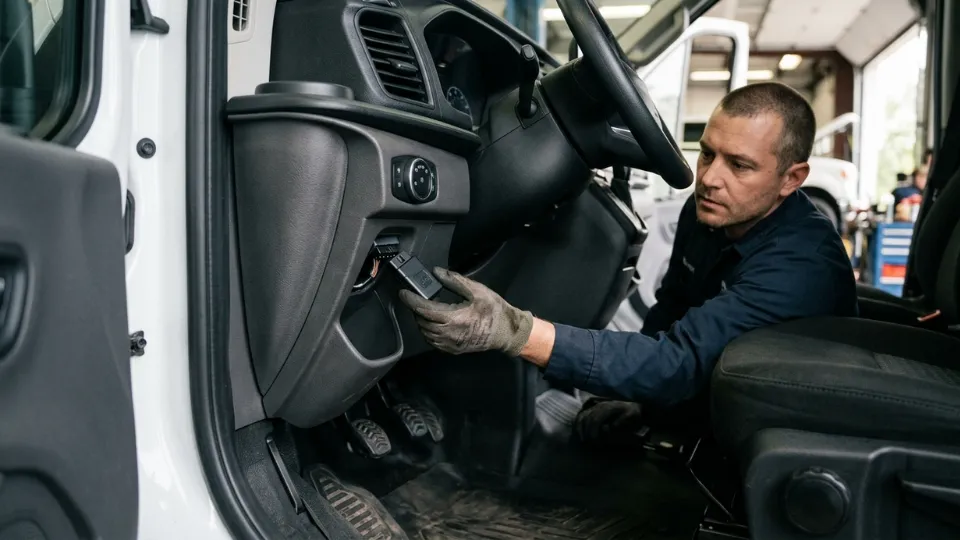
Choosing the right installation method is not a minor technical detail. In commercial fleets, the way a tracking device is installed affects data quality, power stability, tamper resistance, deployment speed, and how confidently the operation can rely on the system day after day.
This guide by Tracom explains the difference between OBD2 GPS tracker installation and hardwired vehicle tracker installation from a fleet management perspective. You will learn when each option makes sense, how installation choices affect vehicle data, alerts, geofencing, and device security, and what fleet operators should consider before rolling out tracking devices across multiple vehicles.
For a fleet intelligence system like Tracom, installation is part of the full telematics workflow. The right setup helps teams activate cleaner data, stronger control, better alert accuracy, and more reliable fleet visibility from the first day of deploymen
What does OBD2 installation mean in a fleet tracking system?
OBD2 GPS tracker installation usually refers to connecting a tracking device through the vehicle’s OBD-II diagnostic port or using OBD-II/CAN access as part of the telematics setup. This connection can provide power and, where supported by the vehicle, access to selected diagnostic or status signals.
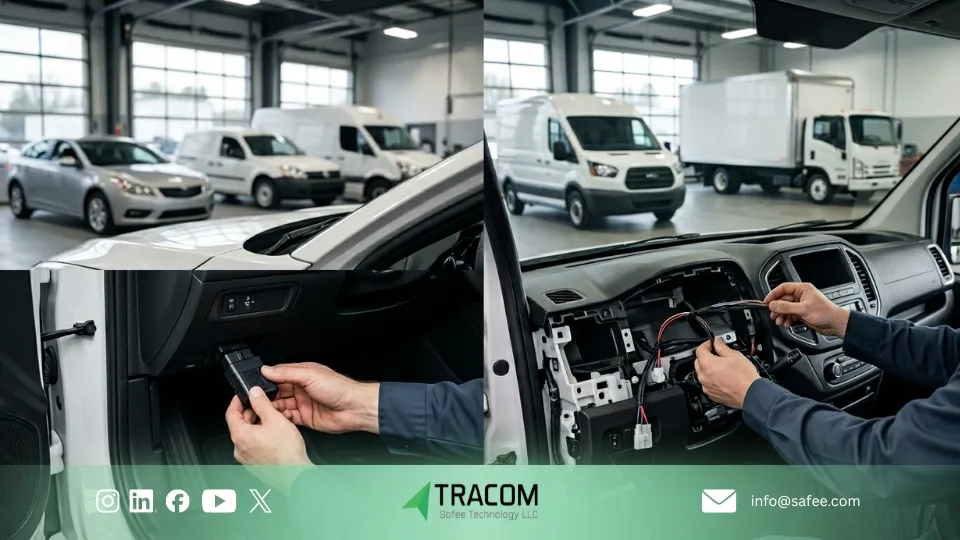
In light-duty fleets, an OBD2-based setup can be a practical option because it reduces installation time and avoids complex wiring work. Fleet operators may use this approach when they need fast deployment, temporary tracking, pilot testing, or simpler visibility across passenger cars and small commercial vehicles.
Because OBD-II availability and data access can vary by vehicle make, model, year, and configuration, OBD2 installation should not be treated as a one-size-fits-all solution. Before rollout, the vehicle list should be checked carefully to confirm compatibility, signal access, power behavior, and the level of tamper resistance required for daily fleet operations.
Why does plug and play vehicle tracker installation look simple?
Plug-and-play vehicle tracker installation looks simple because the physical connection is usually fast. In many cases, the device can be connected through the vehicle’s OBD-II port without major wiring work, which makes it attractive for light-duty fleets, pilot projects, and temporary deployments.
However, fleet tracking deployment is not complete once the device is connected. The real value comes from correct device assignment, configuration, activation checks, vehicle data validation, alert setup, geofencing rules, reporting accuracy, and confirming that the tracking system delivers the visibility your operation actually needs.
If your team needs a practical reference before moving ahead, review What Is a Fleet GPS Tracking Device & How Does It Work? and then compare those requirements with the installation model you choose.
Because fast installation does not always mean the best operational fit, fleets should validate OBD2 and hardwired setups against vehicle type, data requirements, security needs, and rollout timeline. If you are comparing both options across different vehicle groups, talk to Tracom about the right setup for your fleet tracking workflow.
Also read: What Is a Fleet GPS Tracking Device & How Does It Work?
When is a plug-and-play vehicle tracker the right choice?
A plug-and-play vehicle tracker can be the right choice when a fleet needs fast deployment with minimal installation work. This approach is usually more suitable for light-duty vehicles, company cars, leased vehicles, passenger fleets, and service vehicles where speed, flexibility, and low installation disruption are more important than hidden mounting.
It can also be practical when a business needs to activate many vehicles quickly across different locations. An OBD2-based setup may reduce workshop time, simplify phased rollout, and make device replacement or reassignment easier when vehicles change frequently.
This makes plug-and-play installation useful for pilot projects, temporary tracking needs, proof-of-value phases, and fleets with regular vehicle turnover. However, speed should still be balanced against operational requirements such as tamper resistance, available vehicle data, power behavior, alert reliability, and long-term fleet control. For fleets that need deeper integration, stronger security, or more stable installation across mixed vehicle types, a hardwired setup may be the better fit
ِِِِِِِAlso read: How to Choose the Best GPS Tracking Device for Your Company Vehicles and align installation speed with your wider operational goals.

Hardwired vehicle tracker installation for commercial fleets
Hardwired vehicle tracker installation means connecting the tracking device directly to the vehicle’s electrical system instead of relying only on the OBD-II port. Depending on the vehicle and deployment requirements, the setup may include constant power, ignition, ground, selected signal lines, and additional interfaces needed for fleet intelligence workflows.
For commercial fleets, this method is often preferred when long-term reliability, hidden mounting, and stronger tamper protection are priorities. A properly hardwired device is harder to remove casually, less likely to be disconnected by accident, and better suited for vehicles where the tracker must operate consistently during daily operations.
Hardwired installation also gives fleet operators more flexibility across different vehicle types. It is not limited by the location, accessibility, or availability of the OBD-II port, which makes it a better fit for vans, trucks, buses, service vehicles, specialized units, and vehicles with non-standard cabin layouts.
This approach becomes especially important when the fleet needs more than basic location visibility. In advanced deployments, hardwired installation can support broader integration with OBD-II/CAN access, RS232 peripherals, external inputs and outputs, ignition status, emergency buttons, sensors, or other vehicle-related signals, depending on the configuration.
For mixed fleets that include both light-duty and commercial vehicles, installation planning should be based on voltage, mounting location, required interfaces, security level, and vehicle group. The most reliable approach is to validate the setup by vehicle type before rollout, rather than assuming one installation model will fit every unit.
OBD2 vs hardwired fleet GPS tracker installation
For most fleets, choosing between OBD2 and hardwired installation is the main setup decision. The right option depends on what the operation needs more: faster deployment and easier reassignment, or stronger concealment, broader vehicle coverage, deeper signal integration, and more controlled long-term performance.
Decision Area | OBD2 GPS tracker installation | Hardwired vehicle tracker installation |
Installation time and rollout speed | Faster to connect and easier to move between vehicles, especially in light-duty fleets. | Takes more time per vehicle, but supports a more structured and stable long-term rollout. |
Vehicle data and signal access | Can provide useful data in supported vehicles, but availability varies by make, model, year, and OBD-II/CAN configuration. | Better suited for controlled integration with ignition, power, external inputs, CAN access, sensors, and other vehicle-related signals. |
Tamper resistance and device security | More visible and easier to unplug, remove, or disturb during daily use. | Hidden mounting improves tamper resistance and supports stronger security for commercial operations. |
Fleet suitability | Works well for company cars, leased vehicles, pilot projects, temporary tracking, and fast light-duty deployments. | Better suited for mixed fleets, trucks, buses, service vehicles, heavy vehicles, and security-sensitive operations. |
Installation requirements | May be suitable for guided self-installation in simple cases, depending on the vehicle and device setup. | Usually requires trained installation to ensure correct wiring, mounting, testing, and validation. |
OBD2 installation is often the better choice when speed, flexibility, and simple deployment matter most. Hardwired installation is usually the stronger option when the fleet needs hidden placement, wider vehicle compatibility, stronger tamper protection, and more reliable long-term control.
For Tracom deployments, the best choice should be based on vehicle type, required data, alert rules, security level, rollout timeline, and the way each vehicle group will be managed after activation.
How to choose the right installation method for your fleet?
At Tracom, installation is not treated as a small technical step. It is part of the fleet tracking strategy. The right method should match your vehicle mix, rollout timeline, security requirements, data needs, and how the system will be used after activation.
Choose OBD2 installation when speed and flexibility are the main priorities. This option can be a practical starting point for light-duty fleets, company cars, leased vehicles, pilot projects, and phased rollouts where fast activation and lower vehicle downtime matter most.
Choose hardwired installation when the fleet needs stronger long-term control. This method is usually a better fit for trucks, buses, vans, heavy commercial vehicles, and security-sensitive operations where hidden mounting, stable power, tamper resistance, and controlled integration are more important than installation speed.
For mixed fleets, the best answer is often not one installation method for every vehicle. Some vehicle groups may use OBD2 installation for speed and reassignment flexibility, while others may require hardwired installation for security, compatibility, signal access, or operational reliability.
Installation planning should also consider what happens after the device is activated. That includes configuration, geofencing rules, alert settings, reporting requirements, OTA workflows, SCMS support, and validation checks before the rollout is scaled across more vehicles.
Before deploying across the full fleet, operators should confirm that the installation method matches the real vehicle list, daily operating conditions, business risks, and reporting expectations. The right setup should make fleet visibility easier after go-live, not create avoidable issues later.
If you are planning deployment across different vehicle types, locations, or business units, Tracom can help you map the right installation model, configuration workflow, and activation plan before you scale.
How to manage fleet tracking device installation across large fleets
Physical installation is only the first stage of a successful rollout. A fleet GPS tracker installation is not operationally complete until each device is reporting correctly, using the right configuration, and matching the workflow the fleet will rely on every day.
1. Verify power and reporting behavior
Confirm that the device powers up correctly, remains stable during normal vehicle use, and starts sending data as expected. This first check helps turn a fitted device into an active fleet asset that can be monitored, configured, and managed after deployment.
2. Validate core platform settings
Before the vehicle goes live, review the assigned device profile, communication settings, reporting logic, and activation status. In Tracom deployments, this step should align with SCMS configuration workflows so device behavior stays consistent across the fleet.
3. Confirm operational rules and alerts
Check that geofencing rules, speed-related alerts, emergency events, tamper alerts, and other required logic are configured correctly. This is important because the value of a fleet intelligence system comes from real-time visibility, actionable alerts, and rule-based monitoring—not location tracking alone.
4. Test data quality and continuity
Verify that the device is capturing the data your fleet actually needs, including trip activity, event records, driver behavior signals, and relevant vehicle data where available. If vehicles operate in areas with weak network coverage, activation should also confirm how the device handles offline data continuity until connectivity is restored.
5. Confirm remote management readiness
Before closing the installation process, make sure the device is ready for ongoing remote management. With Tracom, this means checking OTA readiness, SCMS-based configuration control, and SMS adjustment capability where needed, so fleet teams can manage updates and changes without repeated manual intervention.
6. Standardize rollout checks across vehicle groups
For large fleets, every vehicle group should follow a clear installation and activation checklist. This helps teams compare results across light-duty vehicles, trucks, buses, service vehicles, and specialized units, while reducing configuration gaps between different locations or installers.
A large fleet rollout should not be measured only by how many devices were installed. It should be measured by how many vehicles are correctly activated, reporting reliably, configured consistently, and ready to support daily fleet decisions after go-live.
How fleet tracking device installers support large rollouts
Professional fleet tracking device installers do more than mount hardware. In large rollouts, their role includes following a consistent installation checklist, coordinating work across vehicle groups, verifying activation, confirming configuration settings, and resolving exceptions before they turn into fleet-wide issues.
This becomes especially important when the fleet operates across multiple sites, mixed vehicle groups, or demanding sectors such as logistics, transportation, and remote oil and gas operations. In these environments, the rollout must support reliable reporting, geofencing rules, voice alerts, tamper alerts, remote configuration, and offline data continuity—not just basic vehicle location.
For teams planning a wider deployment, the logical next step is to review our Services and then book a rollout consultation with Tracom to map the right installation model, configuration workflow, activation process, and support plan to your actual fleet environment.
Why does installation quality affect tracking accuracy and reliability?
Installation quality affects more than how securely the device is fitted inside the vehicle. In commercial fleet operations, it directly influences tracking accuracy, reporting stability, event reliability, alert performance, and how much trust the team can place in the system after go-live.
Antenna placement and GNSS signal quality
Tracking accuracy starts with stable signal reception. Poor antenna placement can weaken GNSS performance, reduce location consistency, and create noisy data that appears later as inaccurate trip history, weak route playback, or unreliable event timing.
Wiring integrity and data continuity
In hardwired installations, wiring quality has a direct effect on reporting stability. Loose connections, weak grounding, poor joins, or exposed wiring can lead to data gaps, repeated device restarts, and inconsistent communication. When this happens, teams may lose trust in the platform even when the device itself is functioning correctly.
Power source selection and event accuracy
The power source also affects how reliably the system records vehicle activity. An unstable power path or incorrect ignition connection can cause false ignition status, repeated resets, incomplete trip records, or inaccurate event reporting. Over time, these issues create operational noise that may look like a software issue when the root cause is installation-related.
Hidden mounting and tamper reduction
Hidden mounting improves long-term dependability by reducing accidental unplugging, casual interference, and tamper exposure. For commercial fleets, this makes installation quality part of system performance, especially when the tracking workflow depends on geofencing, voice alerts, tamper alerts, second-by-second reporting, and continuity during network outages.
Why this matters in real operations?
Poor installation does not only create a technical problem. It can weaken data quality, trigger avoidable alerts, reduce reporting confidence, and make daily fleet decisions less reliable. Strong installation gives the fleet cleaner data, more stable reporting, and a better foundation for operational control.
At Tracom, the installation model should align with the vehicle type, configuration workflow, activation checks, and rollout priorities before deployment begins. Start with a fleet assessment to match the right setup to your vehicles, operating conditions, and long-term tracking requirements.
Do you need professional fleet tracking device installers?
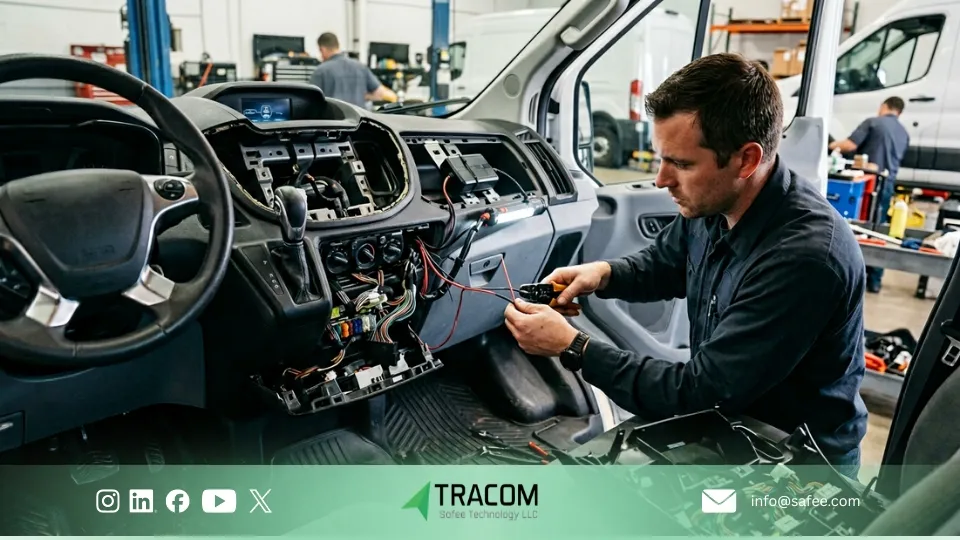
Not always. For small deployments, light-duty vehicles, and simple plug-and-play setups, guided self-installation may be enough. But in many commercial fleet rollouts, professional installation is the safer and more reliable choice.
Once the fleet includes mixed vehicle types, trucks, 24V systems, hidden mounting requirements, stronger tamper resistance, or more advanced vehicle data needs, installation quality starts to affect data continuity, reporting stability, alert reliability, and long-term trust in the system.
The real question is not who can mount the device. It is who can install, activate, and validate it in a way that supports the fleet after go-live. In commercial operations, installation should align with configuration, geofencing rules, alert settings, reporting logic, OTA readiness, and ongoing device control.
A professional installation partner should therefore handle more than hardware placement. The role should include vehicle assessment, scheduling, power-source selection, mounting decisions, configuration checks, activation verification, and exception handling during rollout.
For larger, mixed, or security-sensitive fleets, professional installers usually reduce rework, protect uptime, and create a cleaner path to reliable operation with Tracom from day one. If installation quality is a priority for your fleet, talk to us about vehicle assessment, installation planning, activation checks, and rollout support.
Choosing between OBD2 and hardwired fleet GPS tracker installation should depend on your vehicle mix, data needs, security level, and rollout priorities. For simple light-duty deployments, OBD2 may be enough. For mixed, commercial, or security-sensitive fleets, hardwired installation often gives stronger long-term control. If your team is planning a wider rollout, Tracom can help you align the installation model, configuration workflow, and activation checks before deployment begins.
FAQs about fleet GPS tracker installation
Can I install an OBD2 GPS tracker myself?
In some light-duty fleets, yes. A simple OBD2 setup may be suitable for guided self-installation, especially when the vehicle list is limited and the deployment is straightforward. However, the device still needs activation checks, configuration review, data validation, and reporting verification before it can be considered operational.
Will a GPS tracker affect vehicle warranty?
Warranty impact depends on the vehicle agreement, installation method, and internal fleet approval rules. For this reason, fleet operators should review warranty terms, leasing conditions, and installation requirements before choosing between OBD2 and hardwired installation.
How long does hardwired GPS tracker installation take per vehicle?
It depends on the vehicle type, mounting location, power source, signal requirements, and whether the setup includes hidden placement, external inputs, CAN access, or additional validation checks. For commercial fleets, the rollout plan matters more than the fastest single-vehicle installation time.
Can a plug-and-play vehicle tracker be removed easily?
Yes. Easy removal is one of the advantages and limitations of plug-and-play installation. It makes reassignment and replacement faster, but it also creates a higher tamper risk in fleets that need stronger security, hidden mounting, or long-term device protection.
Who manages installation for a large commercial fleet?
Large deployments are usually managed through vehicle assessment, grouped rollout planning, technician coordination, activation checks, and configuration validation. Tracom can help fleets plan the right installation model, configuration workflow, and rollout support before deployment is scaled.