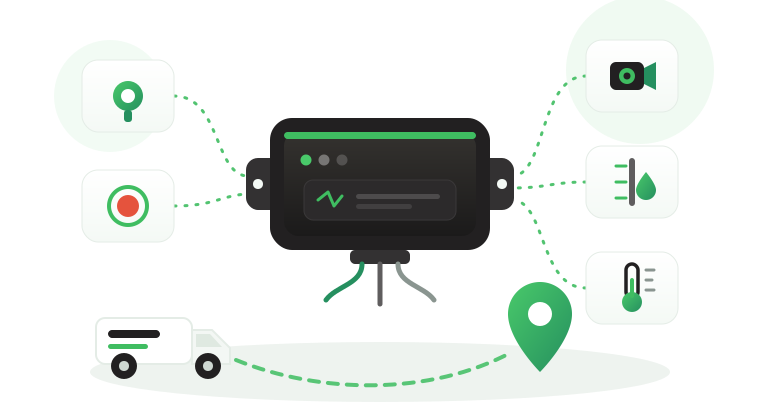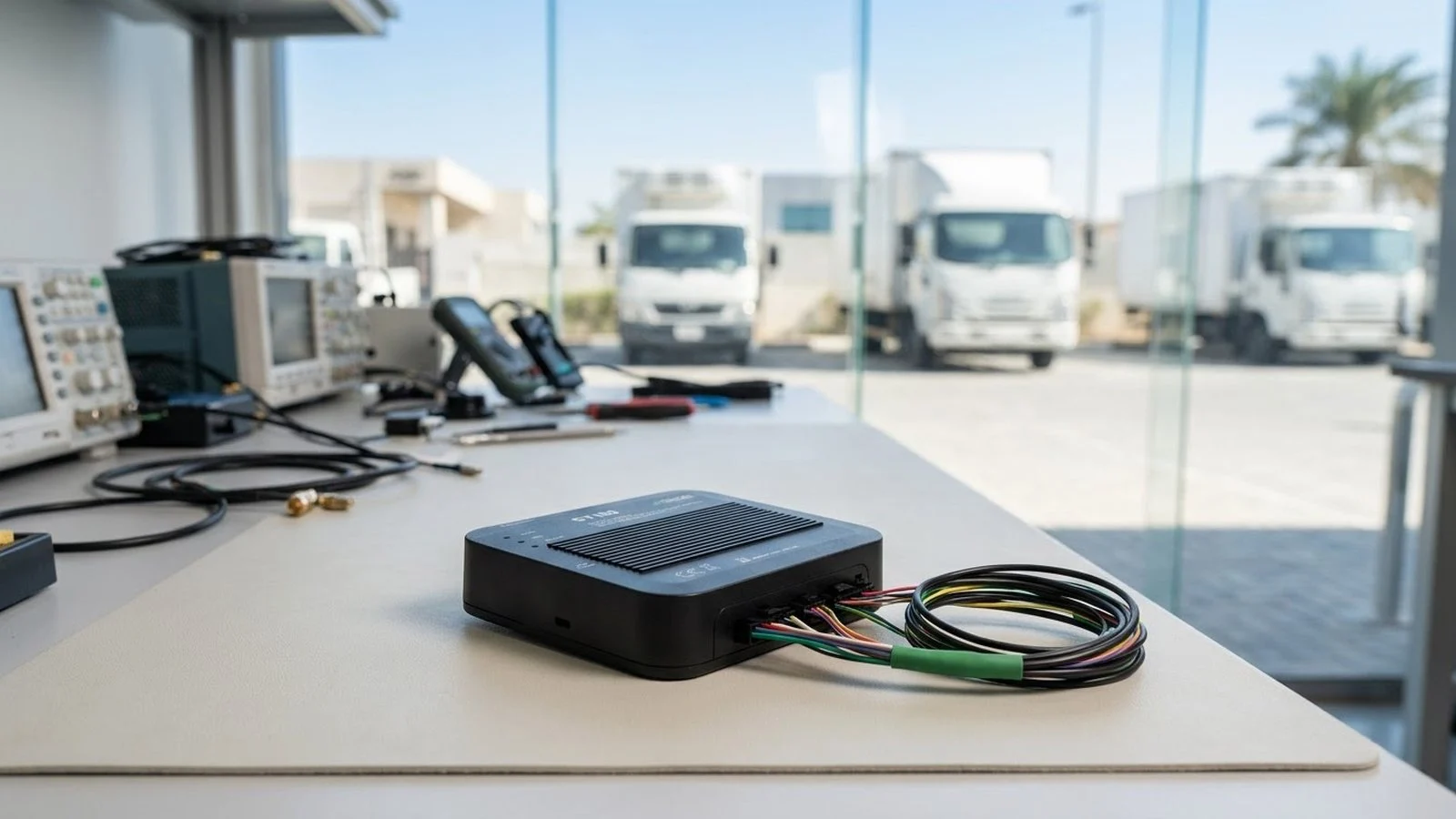
Spec sheets look alike. Field failures do not. Two telematics hardware units can list the same satellite systems and the same ports, yet one fills reports with gaps after six months while the other keeps producing clean records through heat, vibration, and weak coverage. The difference usually sits in details that a feature list does not explain: how the device reads each vehicle, what it does when the network drops, and how it is maintained after installation.
This article explains what sits inside a commercial telematics unit and what procurement and technical teams should verify for each component. It covers positioning and motion sensing, CAN bus and vehicle interfaces, cellular connectivity, onboard logic and storage, remote configuration, and a checklist for evaluation, using the published specifications of the Tracom ST100 as a reference point.
Inside a telematics unit
A telematics unit, sometimes called a telematics module or telematics control unit, is the in-vehicle hardware that handles positioning, vehicle data, event detection, storage, and communication at the same time. A basic GPS locator reports position. A telematics unit combines positioning with vehicle interfaces, local logic, memory, and remote management, so the fleet can act on how the vehicle is used. The guide to what telematics is covers the wider concept.
| Subsystem | What it does | What to verify |
|---|---|---|
| GNSS receiver | Calculates position, speed, and heading | Satellite systems, accuracy, installation path |
| Motion sensing | Detects acceleration, braking, impacts | Event types and configurable thresholds |
| Vehicle interfaces | Reads CAN data, inputs, and serial devices | Validated signals for each vehicle model |
| Cellular modem | Sends records and receives configuration | SIM generations, coverage, roaming |
| Processor and memory | Applies rules and stores data offline | Offline behavior and storage depth |
| Configuration tools | Updates rules and firmware remotely | Portal, file formats, OTA, fallback channel |
Build, power and environment
Commercial vehicles subject hardware to heat soak, dust, vibration, and long duty cycles. The ST100 withstands harsh outdoor conditions, strong vibrations, and continuous vehicle movement. For any device, procurement teams should also review mounting method, cable routing, connector retention, and behavior during engine cranking, because many field faults appear at the edges of the device: connectors, cables, and mounting.
What the hardware does not decide
A hardware specification does not automatically determine which vehicle data your fleet will receive, how events are interpreted, or what the operation should do with them. Tracom supplies the GPS device, local rule logic, event data, and configuration layer. The fleet or its connected business software assigns the operational meaning and response.
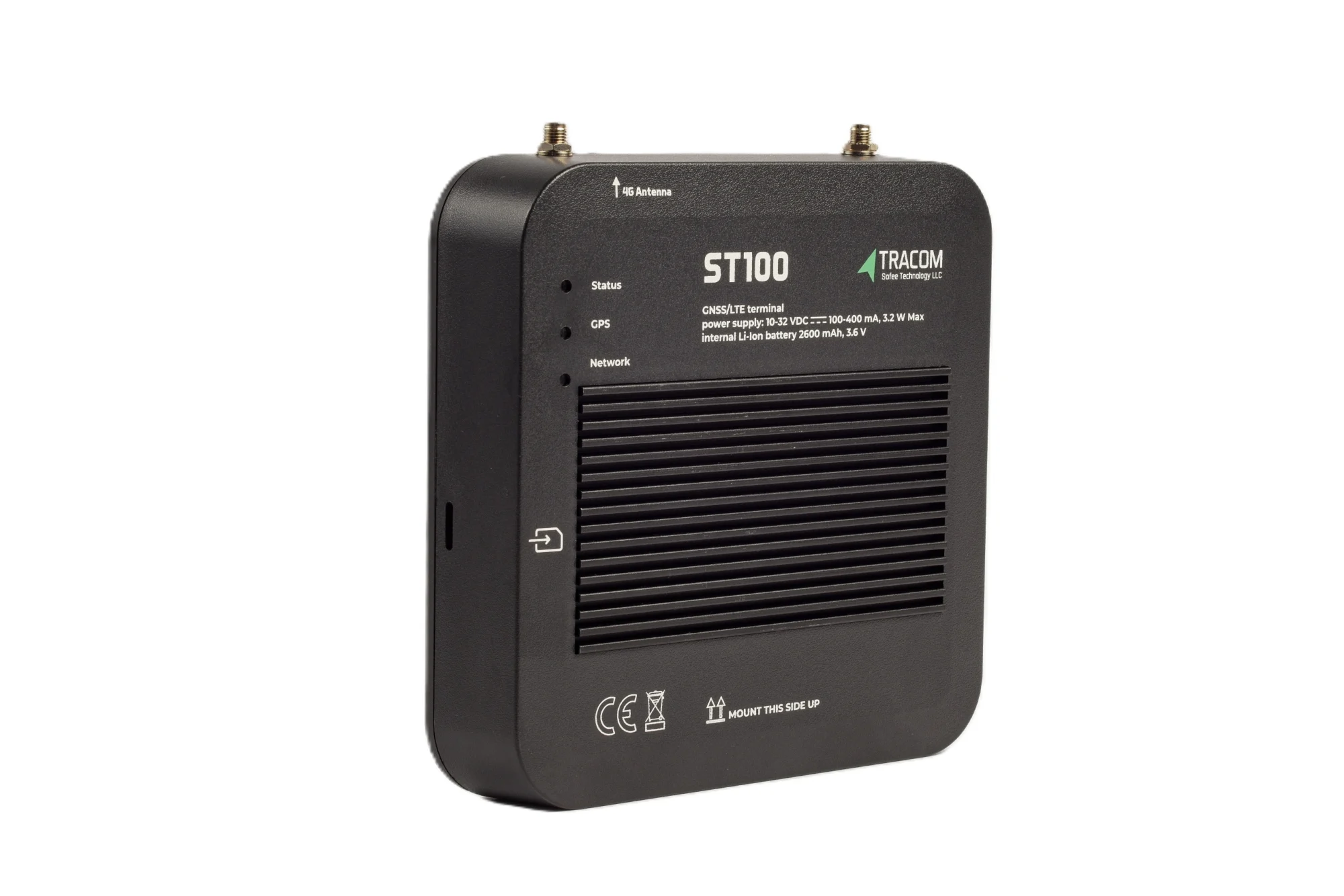
The tracking device behind every record
- GPS, GLONASS, SBAS, QZSS and AGPS positioning
- Location accuracy within a 2-meter radius
- 2G/3G/4G SIM support
- 12 digital, 4 analog and 5 AD inputs, 2 digital outputs
- 5 RS232 ports, USB, UART, 1-Wire and OBD II CAN
Positioning, speed and motion sensing
Weak positioning degrades every downstream output, from trip history to geofence events. Speed and motion sensing then add the context that position alone cannot give.

Satellite systems and accuracy
Commercial telematics hardware should use more than one satellite source. The ST100 receives GPS, GLONASS, SBAS augmentation (WAAS, EGNOS, MSAS, GAGAN), QZSS, and AGPS, with location accuracy within a 2-meter radius. Augmentation improves accuracy, and assisted GPS helps the receiver obtain a position faster after start-up. The GNSS vs GPS guide explains how multi-constellation receivers differ.
GNSS positioning is unavailable or degraded inside a tunnel or an underground car park, for any receiver. Buyers should treat claims of positioning in those places with caution, whichever vendor makes them.
Speed sources and the G-sensor
The ST100 calculates speed from both GPS and the vehicle speed signal (VSS), which gives the fleet two sources for the same measurement. Its built-in G-sensor detects acceleration, harsh braking, sudden impacts, and sharp movements. Data is recorded second by second, so a reviewer can see the seconds around each event.
Receiver, antenna and placement
A capable receiver can still underperform when the installation path is poor, the unit sits behind metal, or cables run beside noisy electrical lines. Evaluators should treat the receiver and its installation as one system. The guide to GPS tracker placement explains how mounting location affects signal quality and tamper risk.
Read also: Hardwired vs OBD vs Portable GPS Trackers: Which Fits a Fleet?
CAN bus, inputs and accessories
The most common question in a hardware review is simple: will the unit read the vehicle data the fleet needs, or only report location? The answer depends on the interfaces, on each vehicle, and on the accessories wired to the unit.
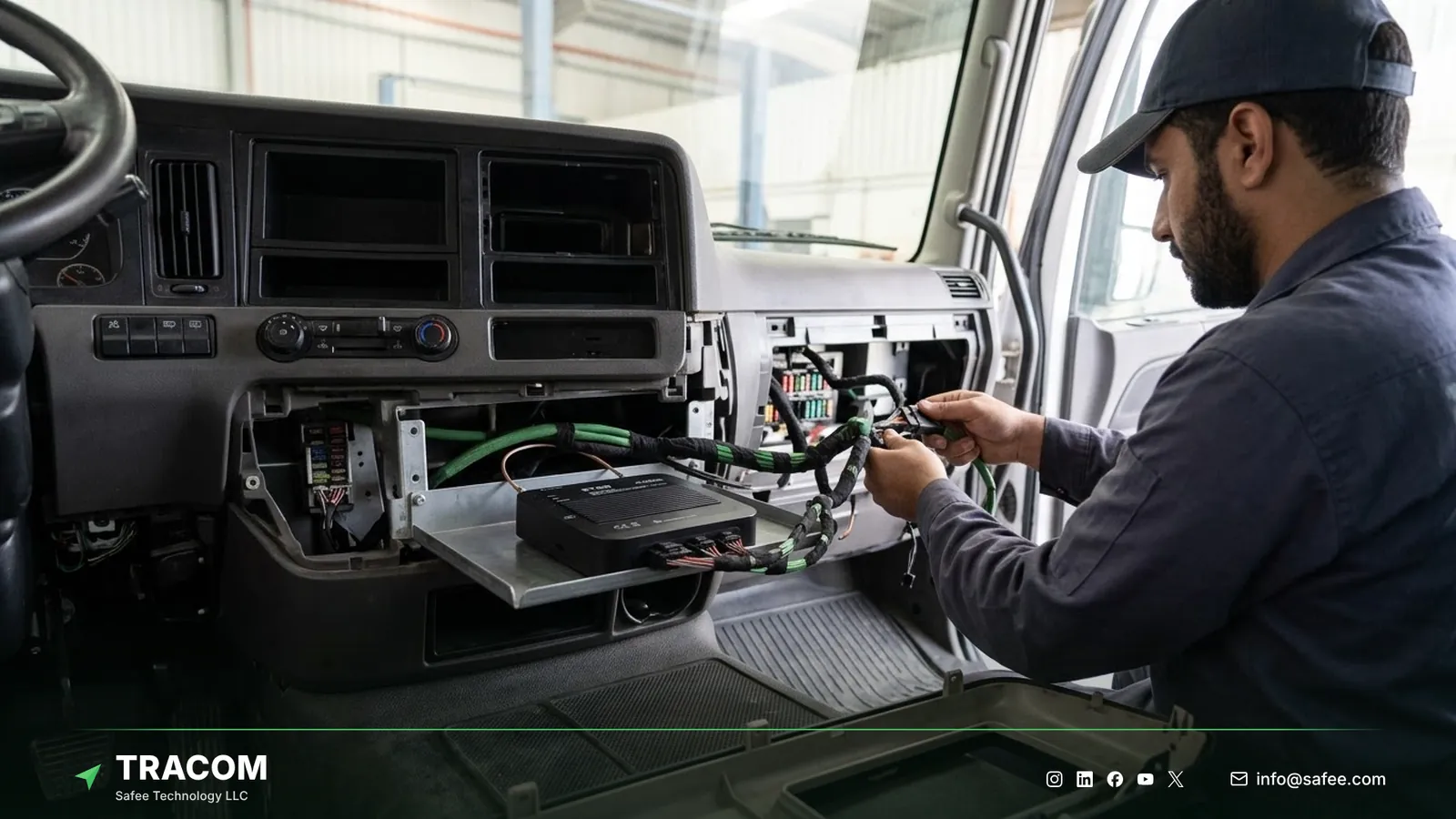
What a CAN bus tracker reads
The ST100 has an OBD-II CAN interface for reading the vehicle network. The data available depends on the vehicle make, model, and year, so it is confirmed per vehicle rather than assumed for the whole fleet. The CAN bus GPS tracker guide covers this topic in depth.
Vehicle make, model and year
Heavy trucks, buses, and specialized vehicles often expose data differently from light vehicles. Share the target vehicles early and test the signals on real units before approval. Truck-specific requirements are covered in the article on truck tracking devices.
Inputs, outputs and serial ports
The ST100 publishes 12 digital inputs, 4 analog inputs, 5 AD inputs, 2 digital outputs, 2 pulse counters, five RS232 ports, USB, UART, and a 1-wire interface. The GPS tracker inputs and outputs guide explains what each type carries. Tracom also supplies the accessories that use them, and the table maps common needs to the hardware.
| Need | ST100 feature or accessory | Confirm with the Tracom team |
|---|---|---|
| Driver identification | Driver key reader, up to 1,000 keys | Key type and reader position |
| Fuel level and refuel events | Fuel level sensor supplied by Tracom | Sensor type and tank fit |
| Cargo temperature | Temperature sensor supplied by Tracom | Sensor type and placement |
| Driver emergencies | Panic button for the panic alert | Button position in the cab |
| In-vehicle video | Tracom M1N MDVR beside the ST100 | Channels, storage, and camera options |
Each accessory should still be tested during the pilot. For video, the dash cam vs MDVR guide explains when a multi-channel recorder such as the M1N fits.
Cellular connectivity and the SIM
Connectivity decides how quickly records reach the platform and whether remote configuration works in the field. It belongs at the center of the hardware review.
SIM and network generations
The ST100 supports 2G, 3G, and 4G SIM cards. When you compare devices, ask which networks the unit uses in each country of operation, how it behaves when the network changes generation, and how it reconnects after a long outage. Answers should come from tests on your routes.
Coverage, roaming and data plans
Fleets that cross borders or work in remote corridors should review roaming terms and data plans with the SIM provider before rollout. The device can only send records where its SIM has service, so coverage maps for each route matter as much as the modem itself. The reporting interval affects data volume, which is worth confirming when sizing the plan.
Onboard logic and offline storage
Onboard processing and memory separate hardware that only forwards data from hardware that keeps working when the network does not.
Rules applied without the network
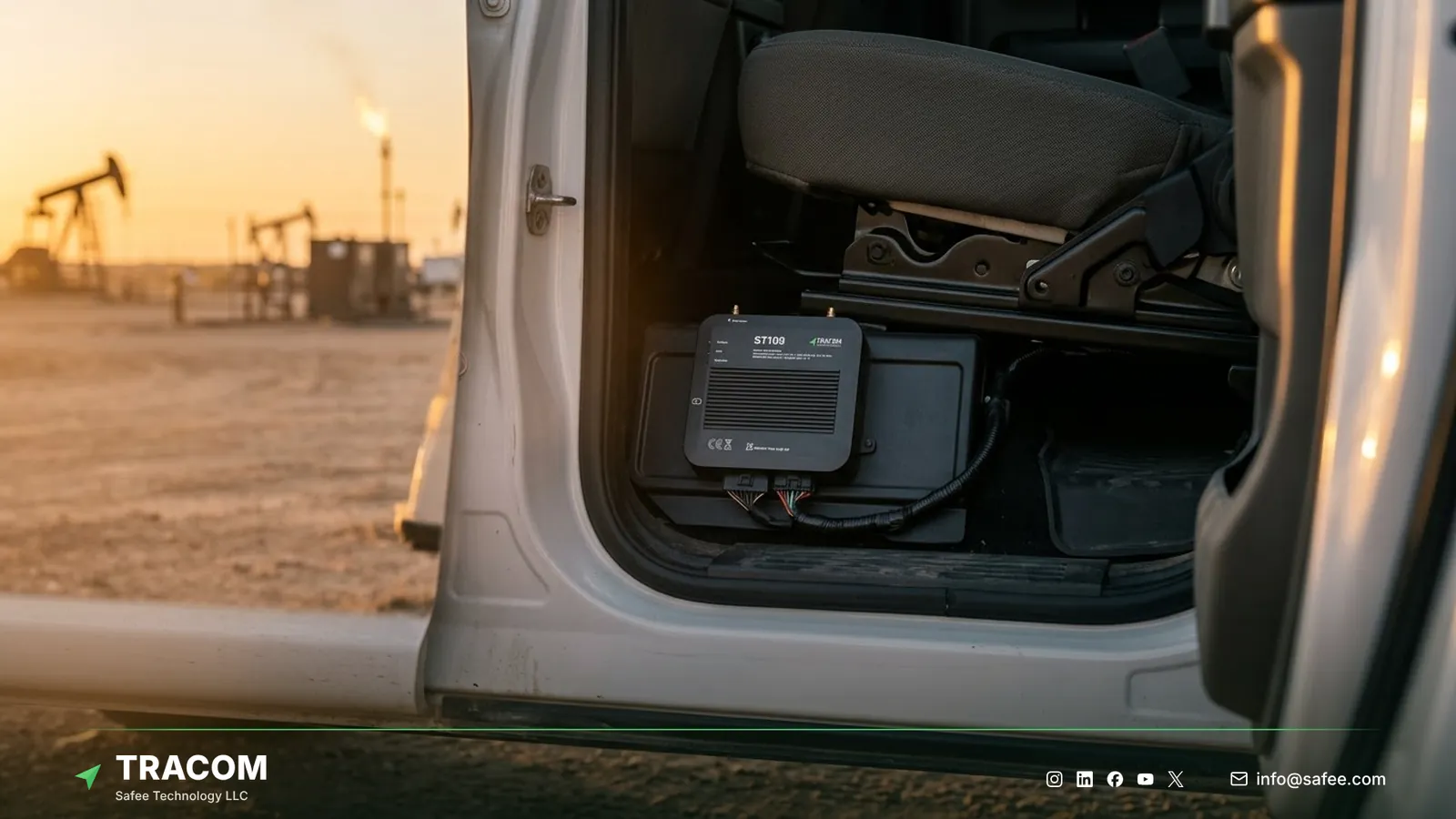
The ST100 is an in-vehicle intelligence system: it applies rules on the device without an internet connection. Up to 4,000 geofences with time-based speed limits and grace periods, driver voice alerts for over-speeding, harsh events, and seat belt violations, and up to 1,000 driver access keys with immobilization all run inside the vehicle. A zone speed warning on a remote site road does not wait for a server.
Storage during coverage gaps
When coverage drops, the ST100 stores up to one week of data internally. Without meaningful onboard memory, trips fragment, events go missing, and reports become hard to trust. For fleets on remote roads, industrial sites, or long desert corridors, this is part of normal operation, so storage depth should be confirmed in a pilot on those routes.
Read also: Remote Vehicle Diagnostics: What OBD-II CAN Data Can Show
Configuration, OTA and device lifecycle
Telematics hardware keeps changing after installation. Rules change, vehicle groups grow, and firmware improves, so the way a device is maintained matters as much as its ports.

SCMS portal, XML and zone files
The ST100 is configured centrally through the SCMS portal. An XML configuration file with hundreds of customizable events defines device behavior, and updates can be pushed to any group of devices. Geofences are managed as KML/KMLO files with custom speed categories, synchronized across all devices.
Firmware updates and SMS commands
OTA firmware updates deliver enhancements, fixes, and new features remotely, with daily synchronization between devices and the SCMS portal. For quick adjustments, selected parameters can be changed by SMS commands, even without portal access. Buyers should ask any vendor how configuration versions are tracked and approved, because unmanaged changes leave depots running different rules. The guide to fleet GPS tracker installation covers how configuration fits into the installation rollout.
Hardware evaluation checklist for procurement
Use these questions for any telematics hardware on your shortlist, and ask for answers that were tested on your vehicles.
- Which satellite systems and augmentation sources does the device use, and what accuracy does it state?
- Which interfaces does it provide, and which signals have been validated for each make, model, and year in your fleet?
- Which accessories does the fleet need, and does the device vendor supply and confirm them?
- Which SIM generations does it support, and how does it behave during coverage loss and reconnection?
- How much data does it store offline, and which rules keep running without the network?
- How are rules, zones, and firmware updated remotely, and is there a fallback channel when portal access is unavailable?
- What are the mounting, power, and environmental requirements for your vehicle types and operating conditions?
- Which regulatory requirements apply to tracking devices in each country where the fleet operates?
Share your vehicle list, routes, and required signals, and talk to a Tracom specialist to check them against the ST100 interfaces.
How Tracom supports telematics hardware evaluation
At Tracom, we supply the Tracom ST100 as an in-vehicle intelligence system that applies fleet rules inside the vehicle and stays manageable across large fleets. Its published specifications cover the following:
- GPS, GLONASS, SBAS (WAAS, EGNOS, MSAS, GAGAN), QZSS, and AGPS receivers give accuracy within a 2-meter radius.
- Speed comes from GPS and VSS, and a built-in G-sensor detects acceleration, harsh braking, sudden impacts, and sharp movements.
- The device has twelve digital inputs, four analog inputs, five AD inputs, two digital outputs, and two pulse counters.
- Five RS232 ports, USB, UART, a 1-wire interface, and an OBD-II CAN interface connect accessories and vehicle data.
- The ST100 supports 2G, 3G, and 4G SIM cards.
- The device records second-by-second data, stores up to one week of data on the device, and applies rules without internet.
- Up to 4,000 geofences with time-based speed limits, voice alerts, up to 1,000 driver access keys with immobilization, tamper alerts, and a panic alert run on the device.
- The SCMS portal handles configuration with XML and KML/KMLO files, OTA firmware updates, and daily synchronization, and SMS commands adjust selected parameters.
- A documented protocol that we share with partners lets telematics providers connect the ST100 to the platform they already run, as the GPS tracker protocol integration guide explains.
Validated vehicle signals, sensor compatibility, and installation requirements for your fleet should be confirmed during solution design. You can compare the full feature list on the features page and the configuration services on the services page. For how these components work together on the road, see how a GPS fleet tracking device works. Talk to Tracom about ST100 devices for your fleet, your customers’ fleets, or a tender, and our team will map each requirement to the ST100 and its accessories.
Conclusion
Telematics hardware proves its value on real vehicles and real routes, not on a data sheet. The components that matter most are the ones that decide whether records stay consistent: positioning, validated vehicle interfaces, offline logic and storage, and a controlled way to change configuration after installation.
Tracom provides the GPS device, interfaces, in-vehicle rules, and remote configuration that give B2B fleets across the GCC and worldwide a hardware base they can verify before rollout. Share your vehicle matrix, routes, sensors, and integration needs, and talk to a Tracom specialist to receive a practical hardware recommendation.
Frequently asked questions
What is the difference between a telematics unit and a GPS tracker?
A basic GPS tracker mainly reports location. A telematics unit combines satellite positioning with vehicle interfaces, motion sensing, local rules, onboard storage, and cellular communication, so the fleet receives driving events and vehicle signals as well as position. The ST100 adds rules applied inside the vehicle, such as zone speed limits and driver voice alerts.
Does every vehicle provide the same CAN bus data?
No. Data availability depends on the make, model, year, and regional specification of each vehicle. Heavy vehicles often expose data differently from light vehicles. Always validate the exact signals your operation needs against the real vehicle list, and test them on installed units before approving a fleet-wide rollout.
Which sensors can connect to the ST100?
The ST100 has twelve digital inputs, four analog inputs, five AD inputs, 1-wire, and five RS232 ports for external devices. Tracom supplies fuel level sensors, temperature sensors, the driver key reader, and the panic button, and the type and fit of each is confirmed with the Tracom team and tested in a pilot.
What happens to data when there is no mobile coverage?
The ST100 stores up to one week of data internally when the network drops and keeps applying its rules without internet. Geofence speed limits and driver voice alerts continue on remote routes, so storage depth matters for remote fleets. Buyers should confirm in a pilot how stored records reach trip history and reports once coverage returns.
Does Tracom decide which hardware configuration our fleet needs?
No. Tracom provides the device, its published interfaces, in-vehicle rules, and configuration tools, and our team helps map them to your requirements. Your organization decides which signals, sensors, and rules the operation needs, validates them on its own vehicles, and remains responsible for how the data is used.
Choose the right tracker for every vehicle
Tell us your vehicle types and what you need to monitor. A Tracom device specialist will reply by email with a recommended ST100 setup and accessories.
Usually replies within one business day • No sales spam
Your details are used only to respond to your request. Privacy Policy