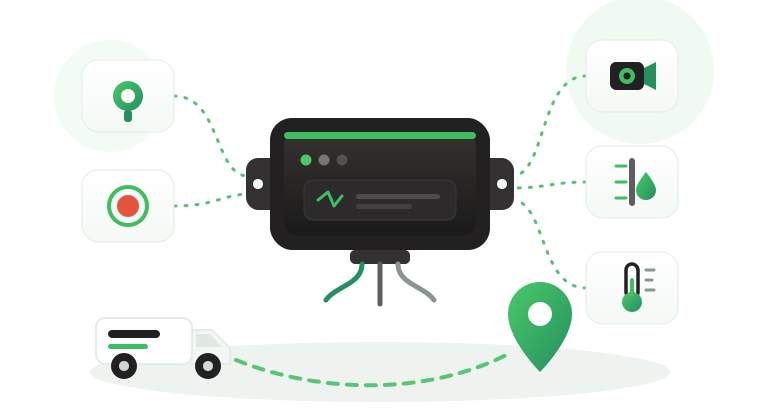


Does a GPS tracker drain the battery? The question usually arrives after a bad morning. A pickup that sat at the depot over a long holiday will not start, a driver mentions that the tracker was fitted last month, and the tracker becomes the obvious suspect. Sometimes it is the cause. More often, the drain comes from wiring choices, long parking periods, an aging battery, or other equipment sharing the same circuit.
This article explains why a correctly installed hardwired tracker draws little power compared with what a vehicle battery holds, what really causes battery drain on fleet vehicles, and how installers and fleet managers can measure the tracker’s share of the drain instead of guessing. It also covers cameras and accessories, the checks to add to every installation, and where the Tracom ST100 fits.
Does a GPS tracker drain the vehicle battery?
Every powered device in a vehicle draws some current, and a hardwired GPS tracker is no exception. It needs power to keep its receiver, modem, and onboard logic ready while the engine is off. On a healthy battery, in a vehicle used most days, that draw is small compared with what the alternator puts back on each drive.
Problems appear when the draw continues for longer than the battery can support. That happens when the vehicle is parked for weeks, when the battery is already weak, or when several devices share the same constant feed. In those cases, the tracker is one contributor among several, and only a measurement shows how large its share is.
Why a correctly installed tracker draws little power
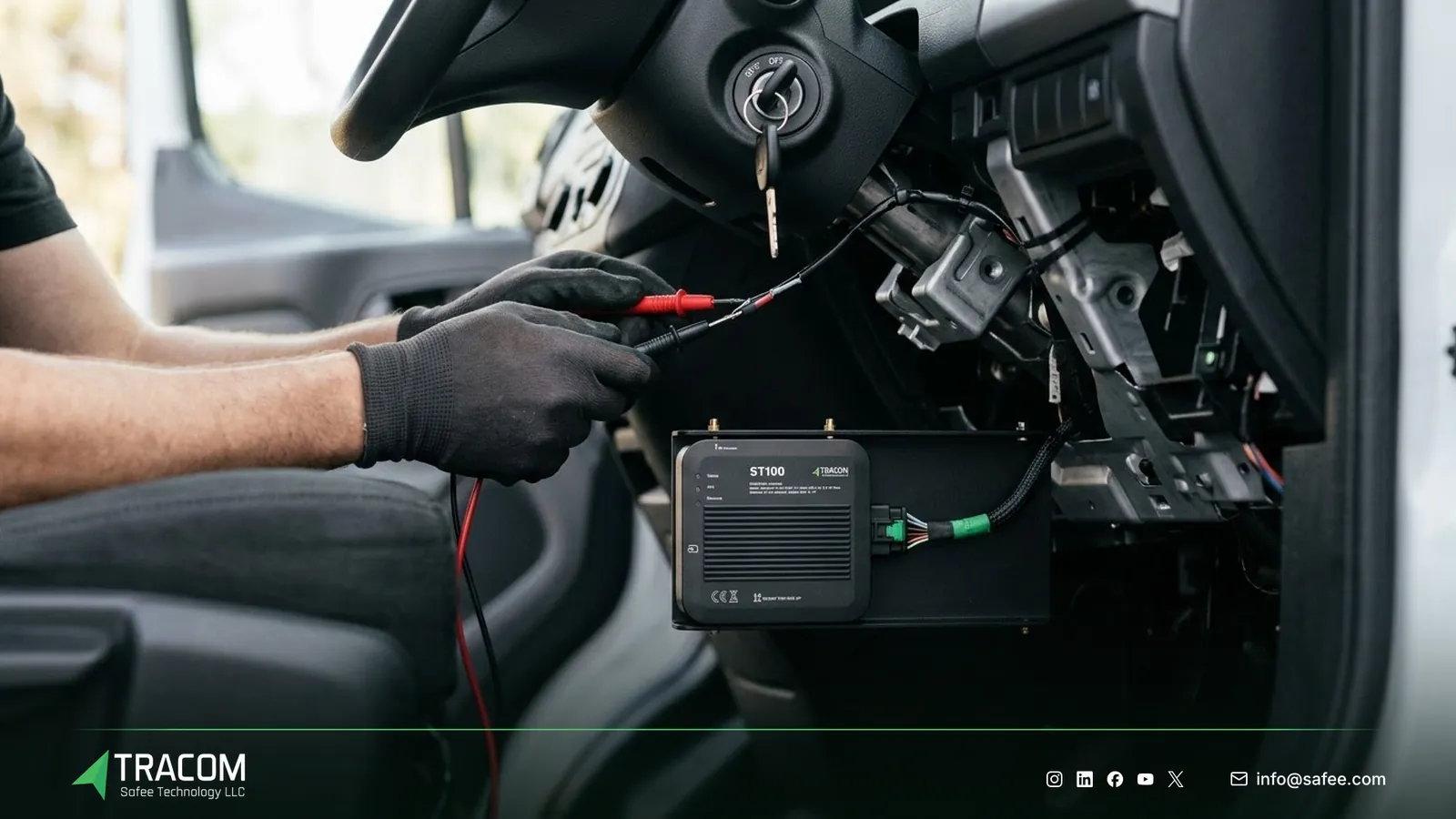
A hardwired fleet tracker is connected to constant power, ground, and an ignition signal. The ignition signal tells the device when the engine is running, so it can change how actively it works when the vehicle is parked. Many hardwired trackers on the market reduce their activity when the ignition is off.
How the ST100 behaves when the vehicle is parked, and its power figures, are not published on the website. Ask the Tracom team for the power figures together with the datasheet before a large rollout, and use them in the estimate described later in this article. The GPS tracker wiring guide explains how power, ground, and ignition connections are made.
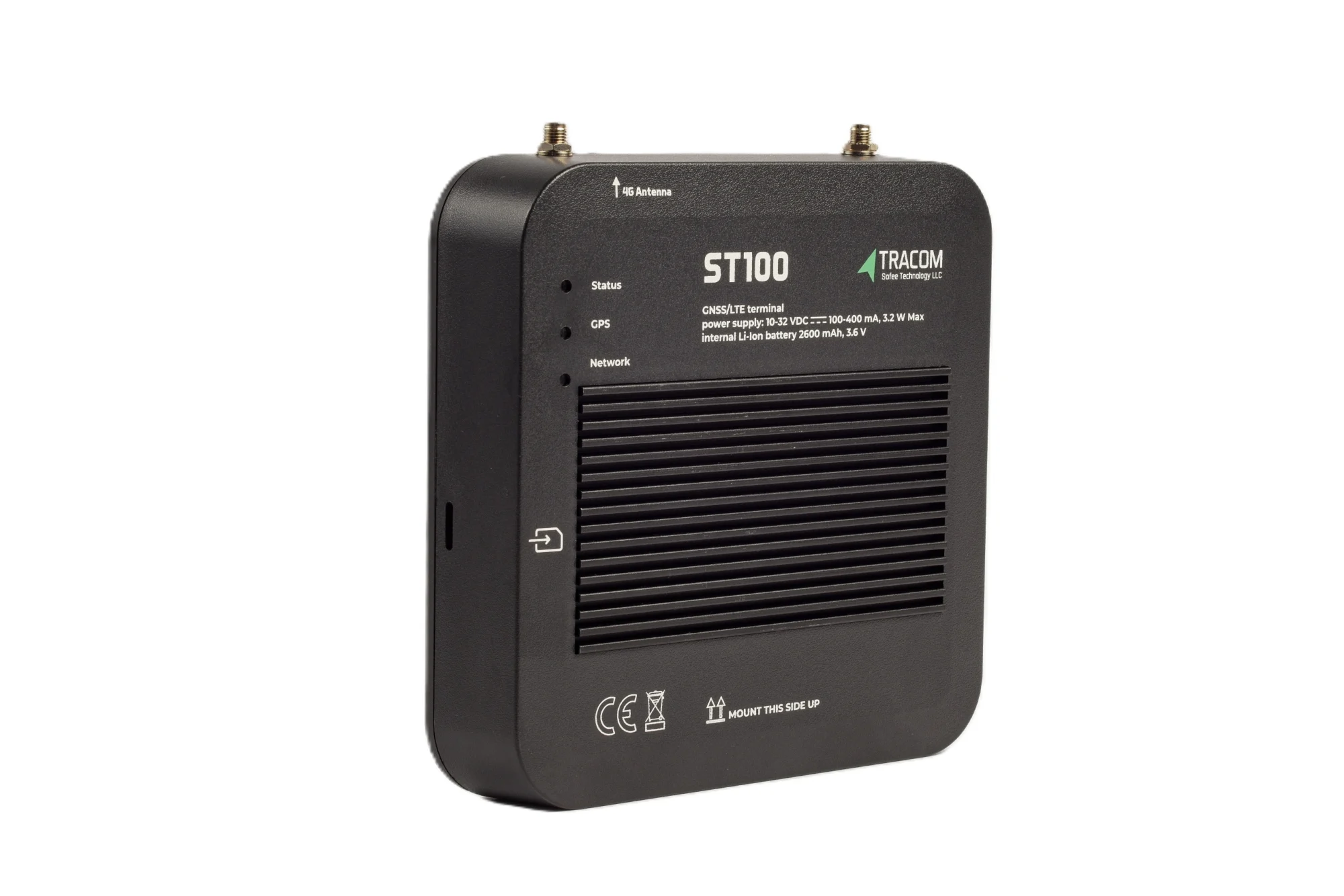
The tracking device behind every record
- GPS, GLONASS, SBAS, QZSS and AGPS positioning
- Location accuracy within a 2-meter radius
- 2G/3G/4G SIM support
- 12 digital, 4 analog and 5 AD inputs, 2 digital outputs
- 5 RS232 ports, USB, UART, 1-Wire and OBD II CAN
What the device does not decide
A tracker does not decide how long your vehicles stay parked, how old their batteries are, or what other equipment is wired to the same circuit. Tracom supplies the GPS device, in-vehicle rule logic, event data, and configuration. The fleet, its installer, and its maintenance team decide the wiring standard, battery replacement cycle, and parking policy.
What really causes battery drain
When a fleet vehicle will not start, the tracker is the newest device and the easiest to blame. A structured check usually finds one of the causes in the table below.
| Cause | What happens | What to check |
|---|---|---|
| Ignition sense wired to constant power | The device behaves as if the engine is always on | Ignition input changes state with the key |
| Long parking periods | Small draws add up over weeks | Days parked against battery size |
| Weak or aging battery | Less usable charge, poor recovery after drives | Battery test results and age |
| Cameras recording while parked | Much higher draw than a tracker alone | Parked recording settings |
| Several devices on one constant feed | Combined draw is larger than expected | Every device on the circuit |
| Loose or corroded connections | Voltage drops and repeated restarts | Ground point and fuse holder |
| Short daily trips | Alternator never fully recharges the battery | Average trip length per vehicle |
The first cause is the most common installation error. If the ignition sense wire is connected to constant power, the device cannot tell when the vehicle is parked, and it stays fully active around the clock. The article on GPS tracker installation mistakes covers this and other wiring errors in detail.
Read also: How to Test a GPS Tracker After Installation: Commissioning Checklist
Long parking and weak batteries in GCC heat
Fleet vehicles do not all work the same calendar. Rental cars wait between contracts, standby vehicles sit at remote sites, and pool cars stay at headquarters during long holidays. A draw that is harmless for a vehicle driven daily can become a problem after several weeks without a drive.

Heat makes this worse. High summer temperatures in the GCC shorten battery life, so a battery that passed its last check can lose capacity within one season. A tracker fitted to a vehicle with a weak battery often gets the blame for a failure that was already coming.
Short trips have a similar effect. A vehicle that only drives a few minutes between stops may never fully recharge its battery, so each parked night starts from a lower level. Fleet managers can spot these patterns in trip reports, because the tracker records every drive and how long each vehicle stands still.
For electric vehicles, the 12-volt auxiliary battery deserves the same attention. The article on EV fleet tracking explains what changes when trackers are fitted to electric fleets.
Cameras and accessories on the same circuit
A tracker rarely travels alone in a commercial vehicle. Video recorders, fuel level sensors, temperature sensors, driver key readers, panic buttons, and aftermarket radios all add to the load. Each one may be reasonable on its own, while the total becomes a problem.
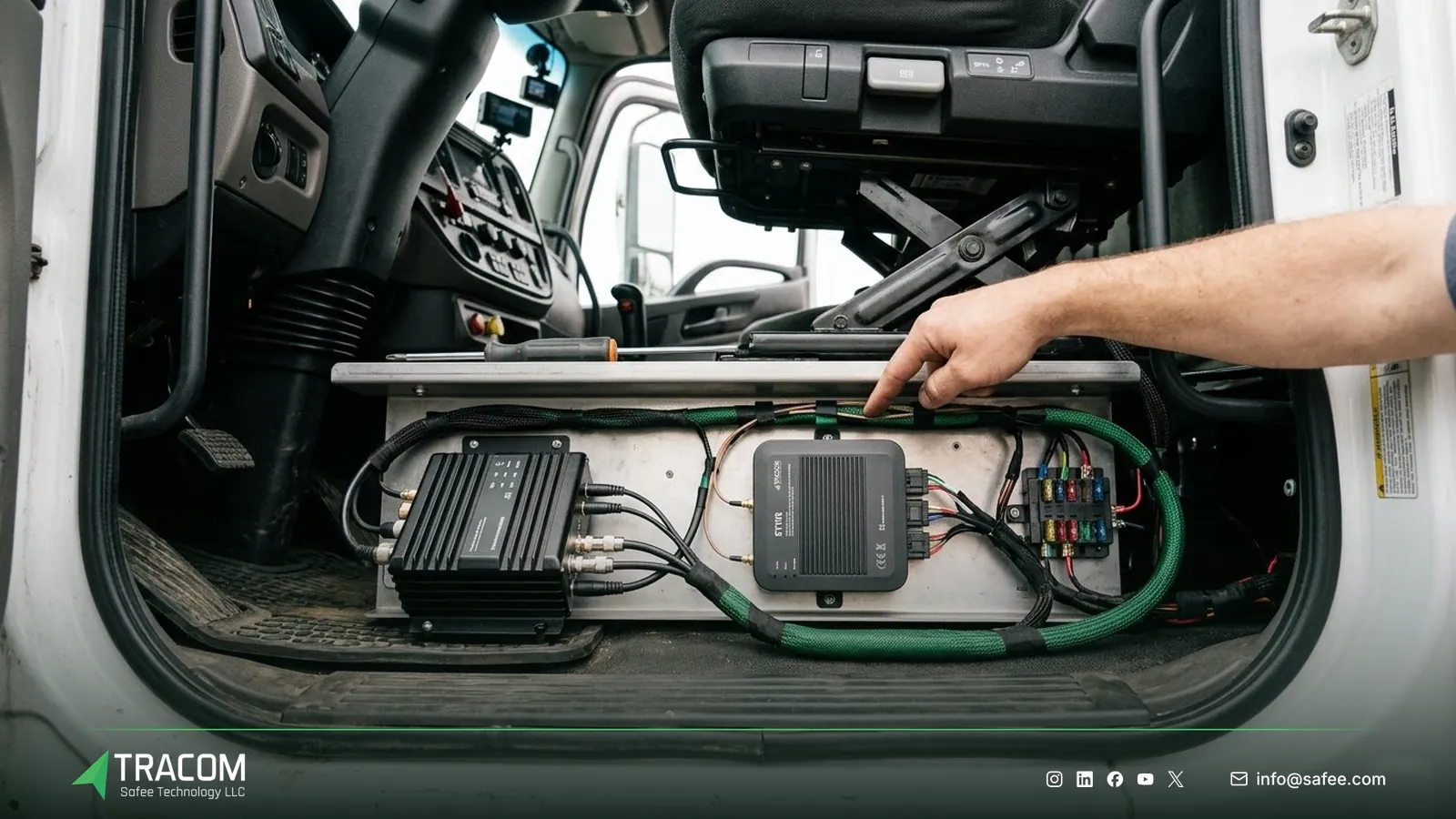
Video recorders usually draw far more than a tracker, especially if they keep recording after the ignition is off. Tracom supplies the M1N MDVR alongside the ST100, and its recording behavior and power needs are confirmed with the Tracom team for each project. Decide in advance whether parked recording is needed, for how long, and on which vehicles.
Accessories that Tracom supplies, such as fuel level sensors, temperature sensors, driver key readers, and panic buttons, are connected to the ST100 as agreed with the Tracom team. Their type and fit are confirmed with the Tracom team, and their power needs should be included in the same estimate as the tracker. The GPS tracker placement guide explains where to mount each unit so cables stay short and connections stay clean.
How to measure the tracker’s share of the drain
A measurement turns an argument into a decision. The method below gives installers and fleet managers a number they can compare with the battery’s capacity.
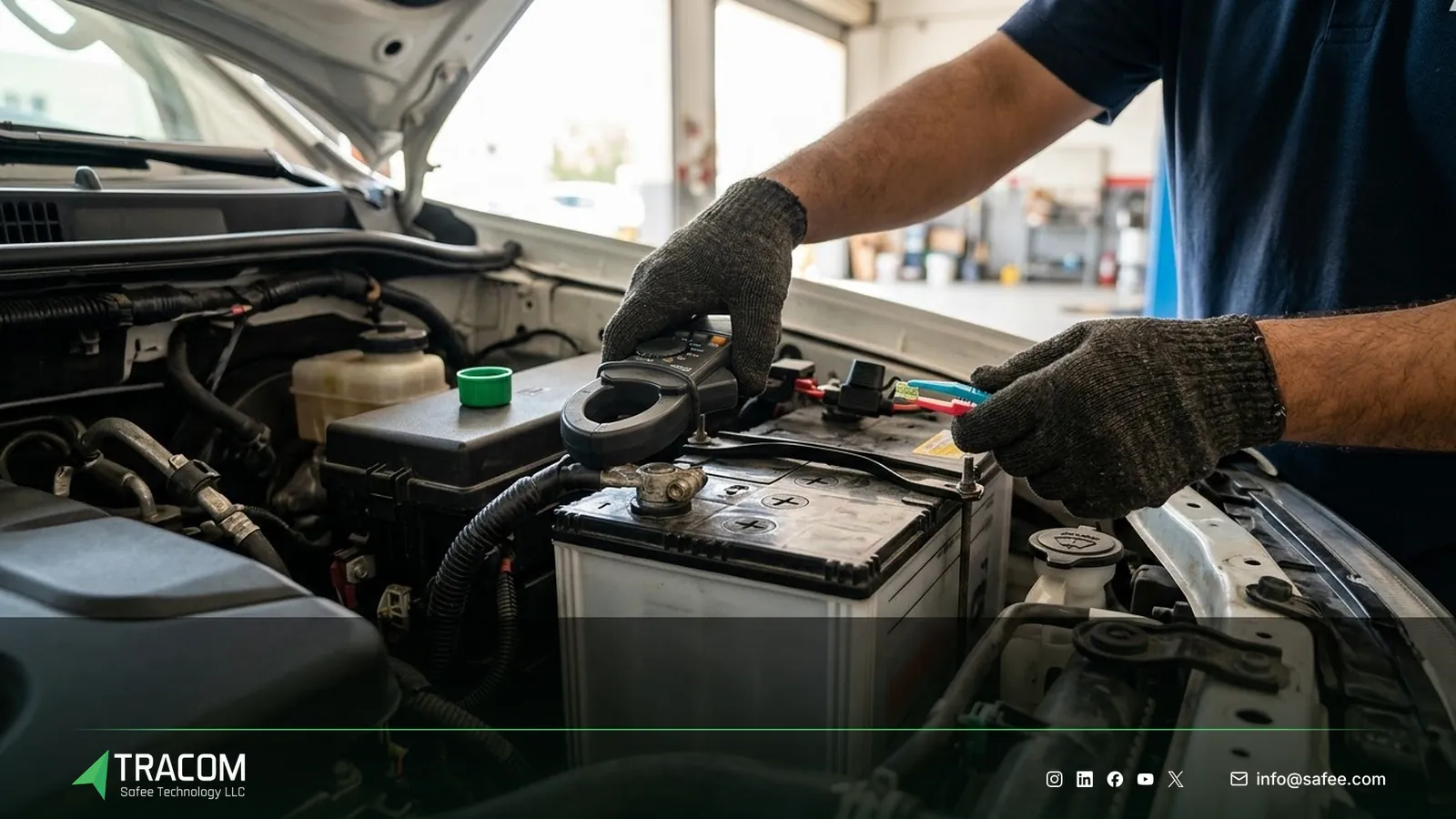
Measuring parked current draw
Measure the vehicle’s total parked current first, then measure again without the tracker. The difference is the tracker’s share.
- Park the vehicle, switch off the ignition, close the doors, and lock it.
- Wait until the vehicle modules go to rest, which can take from several minutes to longer on newer vehicles.
- Measure the total current from the battery with a clamp meter or an ammeter placed in series, following the vehicle maker’s safety guidance.
- Remove the tracker’s fuse, wait again, and repeat the measurement.
- Repeat the test with cameras and accessories disconnected one at a time to see each contribution.
Record the results per vehicle model, because the same tracker can show different results across vehicles with different electrical systems.
Estimating how long a parked vehicle can last
Once you know the total parked draw, divide the battery charge you are willing to use by that draw. A hypothetical example shows the arithmetic. Assume a 70 Ah battery, that the fleet decides to use no more than 20 Ah before starting becomes a risk, and a measured total parked draw of 40 mA. The vehicle could then stand for about 500 hours, or around 20 days. These numbers are hypothetical and are not ST100 figures.
If the result is shorter than your longest normal parking period, change something: the parked recording settings, the accessories on the constant feed, the battery, or the parking routine.
Read also: Hardwired vs OBD vs Portable GPS Trackers: Which Fits a Fleet?
Checks for installers and fleet managers
A short checklist at installation, and a few rules afterward, prevent most battery complaints.
- Request the ST100 power figures with the datasheet from Tracom before the rollout, along with the power needs of any MDVR or accessories.
- Test each battery before installation and record its condition on the job card.
- Wire the ignition signal to a switched source, and confirm the ignition input changes state with the key.
- Use proper fuses, clean ground points, and secure connections, following the wiring standard agreed for the fleet.
- Measure parked current after installation on at least one vehicle of each model.
- Set a parking rule for vehicles that stand longer than the estimated limit, such as a weekly run or a maintenance charger.
- Keep a record of what is wired to each vehicle, so later drains can be traced quickly.
Fleets that worry about the vehicle maker’s warranty should read the article on whether a GPS tracker voids the vehicle warranty, and the fleet GPS tracker installation guide covers planning the rollout across many vehicles. Share your vehicle models, parking patterns, and accessory list, and talk to a Tracom specialist about the power figures for your setup.
How Tracom supports battery-safe installations
At Tracom, we supply the Tracom ST100, the M1N MDVR, and accessories to fleets, telematics service providers, resellers, and installers. Battery-safe installations depend on the right figures and on clear setup choices, and the ST100 offers several that help.
- Ignition can be wired to a digital input, agreed with the Tracom team, so the device knows when the vehicle is parked.
- The ST100 has twelve digital inputs, four analog inputs, five AD inputs, two digital outputs, and two pulse counters for sensors and vehicle signals.
- Five RS232 ports, USB, UART, a 1-wire interface, and an OBD-II CAN interface connect accessories and vehicle data, which depends on make, model, and year.
- A tamper alert notifies the fleet when someone attempts to remove or tamper with the device.
- The ST100 records second-by-second data and stores up to one week of data on the device during network outages.
- The SCMS portal handles central configuration through XML files with hundreds of customizable events, OTA updates, and daily synchronization.
You can review these capabilities on the features page and the remote configuration options on the services page. Parked behavior, power figures, and accessory loads for your vehicles should be confirmed during solution design. Request a device recommendation with your vehicle models, accessories, and longest parking periods.
Conclusion
A correctly installed hardwired GPS tracker rarely flattens a healthy battery on a vehicle used regularly. Battery drain comes from wiring errors, long parking, weak batteries, short trips, and the combined load of cameras and accessories, and a simple measurement shows which one applies.
Tracom provides the ST100, the M1N MDVR, accessories, and the power figures that let installers plan battery-safe setups. Share your vehicle models, parking patterns, and accessory list, and talk to a Tracom specialist to receive a practical device and installation recommendation.
Frequently asked questions
Will a GPS tracker drain my car battery overnight?
No, not when it is correctly installed on a healthy battery. A hardwired tracker draws a small current while parked, and one night is short compared with what the battery holds. Overnight drain usually points to an ignition wiring error, a failing battery, or another device that stays active.
How much power does the ST100 draw?
The ST100 power figures are not published on the website. Request them from the Tracom team together with the datasheet, then use them with your battery size and parking periods to estimate how long a vehicle can stand. Measure parked current on one vehicle of each model after installation to confirm the estimate.
Can a dash camera or MDVR drain the battery?
Yes. Video recorders usually draw more than a tracker, especially when they record while the vehicle is parked. For the M1N MDVR that Tracom supplies, recording behavior and power needs are confirmed with the Tracom team, and parked recording should be enabled only on vehicles and for periods that the battery can support.
What should I do with vehicles parked for several weeks?
Estimate how long each vehicle model can stand using measured parked draw and the battery charge you are willing to use. If the parking period is longer, plan a weekly run, connect a maintenance charger, or adjust parked recording and accessories. Test the battery before the vehicle returns to service.
What is Tracom’s role if a vehicle battery goes flat?
Tracom’s role covers the hardware and the information needed to plan it: the ST100, the M1N MDVR, accessories, and their power figures on request. The installation standard, battery condition, parking routine, and decisions on parked recording remain with the fleet and its installer. Your organization is responsible for checking batteries, measuring parked current, and following the vehicle maker’s guidance.
Choose the right tracker for every vehicle
Tell us your vehicle types and what you need to monitor. A Tracom device specialist will reply by email with a recommended ST100 setup and accessories.
Usually replies within one business day • No sales spam
Your details are used only to respond to your request. Privacy Policy