


A dispatcher may have a full job queue but still lack the field context needed to act confidently. A vehicle may appear available in the schedule while it is delayed, stopped unexpectedly, outside the right zone, affected by an active alert, or moving through an area with weak connectivity. When live vehicle context is missing, teams return to driver calls, estimated ETAs, fragmented updates, and late exception handling.
Fleet dispatch software can manage jobs, schedules, assignments, driver communication, and completion records. Tracom does not replace that dispatch workflow. Tracom GPS tracking devices provide the device data layer behind dispatch visibility: live location, movement status, speed, trip history, stops, geofence events, panic alerts, tamper alerts, driver-related signals, and stored data when coverage is interrupted.
This guide explains how fleet dispatch software can use Tracom GPS device data to support vehicle selection, ETA communication, route-progress monitoring, and exception response across GCC and global fleets. The dispatch, ERP, or service-management platform remains responsible for job creation, scheduling, assignment, and completion; Tracom supplies the in-vehicle tracking, event, alert, continuity, and device-management layer.
How Tracom GPS device data supports fleet dispatch software
Before evaluating an integrated setup, buyers must distinguish between the software that manages work and the device technology that reports vehicle activity. This prevents procurement teams from expecting a GPS tracking device to create jobs, schedule drivers, assign work, or manage completion records.
Fleet dispatch software vs. GPS tracking devices
Fleet dispatch software manages operational workflows. Depending on the platform, it may receive service requests, schedule jobs, assign vehicles or drivers, communicate instructions, and record job status.
A Tracom GPS tracking device serves a different purpose. It captures vehicle location, movement, speed, trip history, stops, geofence events, panic alerts, tamper alerts, and supported vehicle or driver-related signals. The dispatch platform manages the task, while Tracom device data shows what is happening on the road.
Even when both layers exchange data, these responsibilities should remain clearly defined.
Tracom device data for better dispatch visibility
Live device data gives a dispatch management system the operational context that schedules alone cannot provide. Relevant information may include:
- Current vehicle location
- Moving or stopped status
- Speed and stop duration
- Recent trip activity
- Geofence events
- Panic, tamper, or driver-related alerts
- Device reporting status during weak or interrupted coverage
This information helps dispatchers compare planned assignments with actual vehicle conditions before selecting the most suitable unit. Tracom supplies the field data; the customer’s dispatch software decides how that data is used inside assignment, ETA, escalation, or job-status workflows.
Why does live vehicle context matter?
The nearest vehicle is not always the best vehicle for the job. It may be delayed, stopped unexpectedly, outside an approved zone, affected by an active alert, or missing a recent device report.
Tracom GPS device data helps dispatchers assess availability, provide more reliable ETA updates, identify delays earlier, and reduce dependence on repeated driver calls.
The device layer supports the dispatch decision, but it does not assign the job automatically unless that capability exists within a separately confirmed software integration. This distinction is essential when evaluating how GPS device data should support fleet dispatch software
Tracom GPS device data for daily dispatch decisions
Once system responsibilities are defined, the dispatch team must identify which device data supports action. An effective setup prioritizes relevant operational context instead of overloading dispatchers with every available signal.
Live location and trip context
Tracom GPS device data can show whether each vehicle is moving, stopped, delayed, inside a service zone, or approaching its destination.
Recent direction, stop duration, route context, and reporting status help dispatchers distinguish between vehicles that may appear equally close on the map but are not equally suitable for the next assignment.
This visibility supports delivery, transport, field-service, construction, rental, and industrial fleets operating across GCC markets and international routes.
Alerts for exception-based response
Dispatchers should focus on exceptions rather than monitor every vehicle continuously.
Geofence events can confirm entry to or exit from a depot, customer site, work zone, or restricted area. Speed, panic, tamper, authorization, and geofence events can alert dispatch, safety, or security teams, while configured voice alerts can warn drivers directly inside the vehicle.
The Tracom device identifies and reports the configured event. The customer’s dispatch, safety, or escalation procedure determines the appropriate response.
Detailed reporting and data continuity
Detailed device records can help investigate delayed arrivals, unexpected stops, route deviations, disputed customer visits, or missed service windows.
Tracom GPS tracking devices can support real-time reporting, sensor-related records where configured, and stored trip or event data when network coverage is interrupted.
This continuity is important for fleets operating across remote GCC routes, industrial zones, construction sites, ports, border areas, and international routes where connectivity may be inconsistent.
Vehicle and driver risk signals
Depending on the vehicle, installation, and configuration, dispatchers may review harsh-driving events, overspeed alerts, seat-belt status, ignition data, panic alerts, tamper events, and other supported signals.
These records should provide operational context rather than be treated as a final judgment based on one event. For example, an unresolved panic alert or repeated safety exception may require review before assigning the vehicle to another urgent task.
Tracom supplies the device-generated signals. The customer’s operating team decides how those signals affect dispatch priority, escalation, driver follow-up, or job assignment.
Also read: How a GPS fleet tracking device works.

How Tracom GPS device data works with dispatch software
Once the required device data is defined, the fleet can map how dispatch software and Tracom GPS tracking devices support each stage, from request intake to post-job review. The dispatch platform manages the work order, while Tracom supplies live vehicle activity, configured events, and trip records.
Step 1 — Create the job
The request is created in the company’s fleet scheduling software, ERP, service platform, customer portal, or internal workflow.
The GPS tracking device does not create the job. It becomes relevant when live vehicle information is needed to coordinate the assignment, verify availability, or monitor execution.
Step 2 — Review live vehicle data
Before assigning a vehicle or driver, the dispatcher may review Tracom device data such as:
- Current vehicle location
- Movement status
- Operational zone
- Recent route activity
- Stop information
- Active alerts
- Device reporting status
This allows the dispatcher to compare job requirements with actual fleet conditions rather than relying only on schedules, driver calls, or delayed manual updates.
Step 3 — Send the assignment
The assignment is communicated through the company’s dispatch platform, driver application, radio, phone, messaging channel, or another approved internal process.
Tracom does not replace this communication workflow. Its role is to provide the vehicle data and event context that help dispatchers choose the right unit and follow the assignment after it is issued.
Step 4 — Monitor progress and delays
As the vehicle moves, Tracom GPS device data helps the dispatcher follow route progress, identify extended stops, and confirm entry into or departure from configured zones.
A fleet route planner or dispatch platform may calculate the route, schedule the job, and manage driver instructions. Tracom provides the live vehicle activity and event data used to monitor execution.
Step 5 — Review trip records
After the task, Tracom trip and event records can help investigate:
- Route deviations
- Missed stops
- Arrival and departure times
- Delays
- Safety events
- Customer questions
- Gaps in device reporting or data continuity
Where integration supports it, these records can be linked to the relevant job data for a more complete operational review. The device supplies field evidence; the customer’s dispatch, ERP, or service platform keeps the job record and business context.
Confirm GPS Device Data Before Fleet Dispatch Software Integration
Because integration value depends on reliable device data and clear system ownership, planning should take place before fleet-wide deployment. A pilot can then confirm that Tracom GPS device data performs correctly under real operating conditions and supports the dispatch decisions the customer needs.
Define the required live device data
Start with operational decisions, not data volume.
Confirm which users need access to Tracom device data such as:
- Vehicle location and movement
- Ignition and speed data
- Trip status
- Geofence events
- Panic or tamper alerts
- Device reporting status
- Supported vehicle or sensor signals
Each requested data field should support a clear dispatch, safety, security, or management action. Data that does not lead to a decision can create noise instead of improving response.
Confirm data exchange and reporting
Determine how the customer’s fleet dispatch software will receive or use tracking data. Requirements may include dashboard access, reports, structured exports, compatible interfaces, API discussion, or project-specific protocols.
Compatibility with a specific ERP, dispatch platform, or service-management system should be verified technically rather than assumed. The review should cover:
- Data formats
- Update frequency
- Event definitions
- Required reports or outputs
- Device reporting behavior during weak coverage
- Testing responsibilities
Discuss these device data, reporting, and interface requirements with Tracom before rollout.
Define users and permissions
Dispatchers, branch managers, safety teams, security teams, and executives do not need the same level of access.
Define fleet groups, branch visibility, user permissions, and configuration rights so each role receives only the device data, alerts, and control level needed for its responsibilities.
Test device data and alert performance
The pilot should validate:
- Location and movement reporting
- Geofence boundaries
- Alert timing
- Stored-data synchronization
- Supported vehicle or sensor signals
- Device reporting status
- User permissions
Test scenarios should reflect real operational issues, such as a missed site, extended stop, coverage interruption, unauthorized movement, panic alert, or tamper event.
Clarify system responsibilities
Document which layer manages each function:
- Job creation
- Scheduling
- Driver or vehicle assignment
- Driver communication
- Route planning
- Status updates
- Completion records
- Reports
- GPS alerts
- Device configuration
The dispatch, ERP, or service platform usually manages job and workflow records. Tracom supplies the GPS tracking device, configured events, alerts, stored data, reporting behavior, and remote device-configuration layer. This responsibility map prevents gaps during implementation, user training, and ongoing support.
Also read: Tracom services for device configuration and remote management.
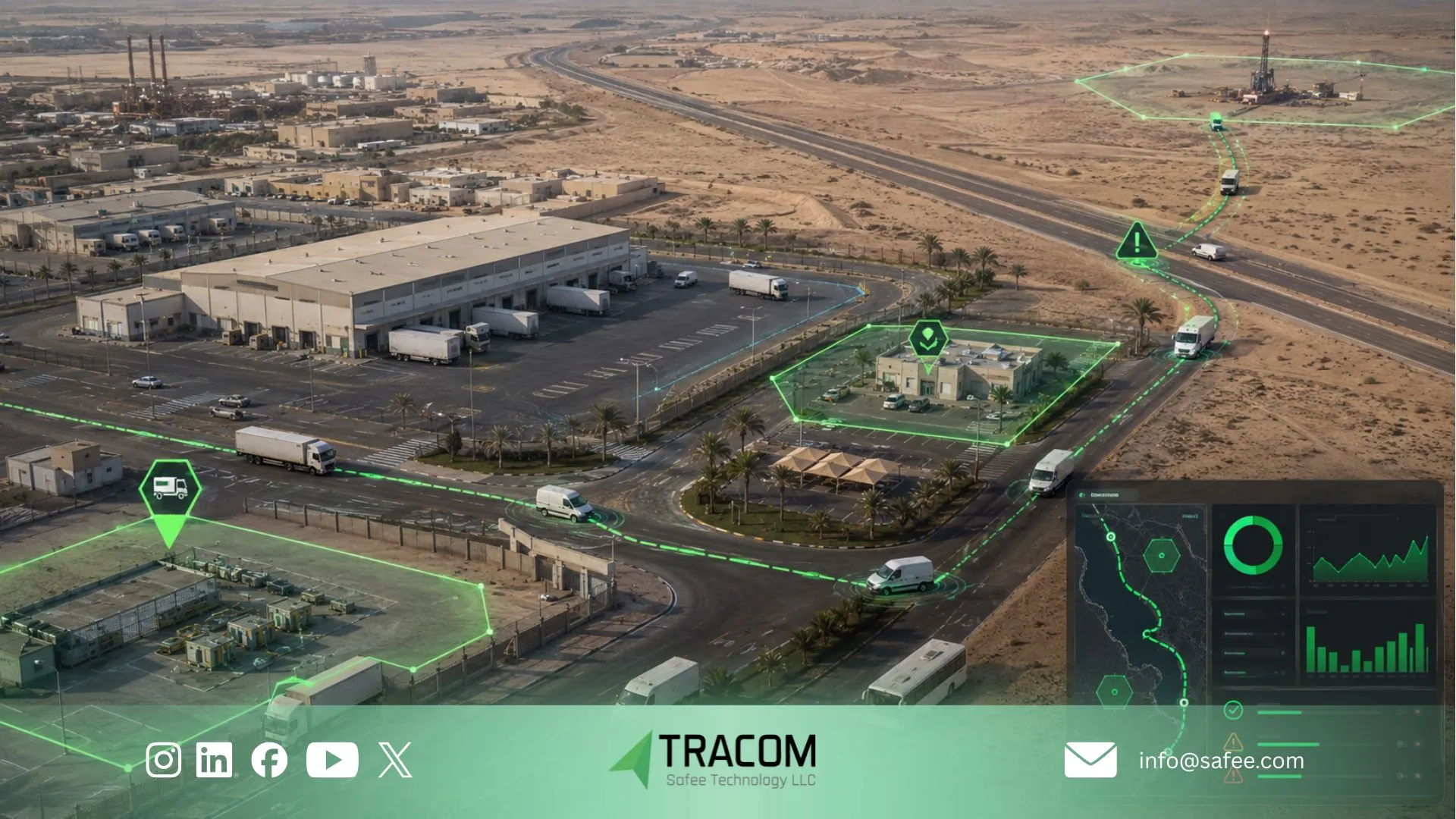
Fleet Dispatch Software Models
After defining the role of each layer, decision-makers can compare the three main operating models. The right choice depends on fleet size, job volume, branch structure, required visibility, and the operational cost of delayed or incomplete field data.
Factor | GPS-Integrated Dispatch | Manual Dispatch | Device-Based GPS Tracking |
Vehicle context | Live GPS device data supports assignment decisions | Depends on calls or driver updates | Shows location, movement, and configured events |
Job workflow | Managed by fleet dispatch software | Managed through calls, radio, messages, or notes | Not provided by the tracking device alone |
ETA and route progress | Combines job context with vehicle activity when supported | Usually estimated manually | Shows movement and route activity without full job context |
Exception response | Can connect dispatch rules with GPS alerts when integrated | Relies on manual escalation | Provides device alerts without a complete job workflow |
Historical review | Can link job and trip records when supported | Records are often fragmented | Provides trip, event, and location history |
Scalability | Supports structured workflows, groups, and branches | Manual workload increases as the fleet grows | Scales vehicle visibility, not job coordination |
Implementation | Requires workflow, ownership, and data planning | Low technical setup but high manual effort | Requires GPS device deployment, configuration, and reporting setup |
What integration adds
Standalone GPS tracking shows where vehicles are, how they move, and which configured events occur. This is useful for visibility, but it does not create jobs, assign drivers, manage customer requests, or close service records by itself.
A GPS-integrated dispatch setup connects Tracom device-generated field data to a separate job-management workflow. This gives the operations team more context when reviewing assignments, ETA updates, route progress, delays, alerts, and post-job records.
The value comes from connecting both layers correctly, not from treating the GPS tracking device as a complete dispatch platform.
Read also: Fleet management device system for business operations.
When manual dispatch works
Manual dispatch may remain suitable for a small fleet with limited daily jobs, stable routes, and direct driver communication.
A more integrated model becomes relevant when the operation faces:
- Frequent ETA requests
- High job volume
- Multiple branches
- Repeated route deviations
- Unclear arrival records
- Heavy dependence on driver calls
- Delayed exception response
- Poor visibility across GCC routes, remote sites, or multi-branch operations
These signs indicate that fragmented communication and manual records are beginning to limit operational control. In that case, Tracom GPS tracking devices can provide the live vehicle data, alerts, trip history, and reporting continuity needed to support a more structured fleet dispatch software workflow.
Fleet dispatch software and GPS device data checklist
Before procurement or expansion, confirm the dispatch workflow, required GPS device data, and system ownership. This keeps the project focused on operational needs rather than treating the tracking device as a complete dispatch platform.
Dispatch workflow
Confirm:
- How jobs or service requests are created
- Who assigns vehicles and drivers
- How assignments and changes are communicated
- Where job status, completion, and ETA updates are recorded
- Who manages customer communication and exception escalation
These functions usually belong to the customer’s dispatch platform, ERP, workforce application, or internal operating process. Tracom GPS tracking devices support these workflows with vehicle location, movement, alerts, trip records, and device-generated event data.
GPS device and telematics data
Define the required:
- Real-time vehicle location and movement status
- Update frequency and trip detail
- Geofence, route, overspeed, panic, tamper, and safety events
- Supported vehicle signals and sensor inputs
- Device reporting status during weak coverage
- On-device storage during coverage loss
- Data synchronization after connectivity returns
- Historical trip and event records
The requirement should reflect actual dispatch and reporting decisions, not the maximum volume of data the device can produce. More signals do not improve dispatch performance unless each data field supports a clear operational action.
Integration and user readiness
Confirm:
- Required reports, exports, interfaces, or custom protocols
- User roles, permissions, fleet groups, and branch structure
- Pilot vehicles and realistic test scenarios
- Data, coverage, and alert validation
- Dispatcher and manager training
- Ownership of platform support and device configuration
- Responsibility for future workflow changes
Assign a confirmed system or team owner to every item before moving beyond the pilot stage. The dispatch, ERP, or workforce platform owns the job workflow; Tracom supports the GPS device, event, alert, reporting, stored-data, and remote-configuration layer.
Also read: Fleet management device system for business operations.